Views: 0 Author: Site Editor Publish Time: 2026-06-11 Origin: Site


Office seating represents far more than a simple furniture purchase. Instead, you should view it as a critical risk-management and productivity investment for your entire workforce. Poor seating contributes directly to severe musculoskeletal disorders. Conditions like tendonitis and chronic lower back pain drain daily productivity and drastically increase corporate healthcare expenses over time.
Handling employee seating requests reactively creates distinct structural problems. You often end up managing mismatched office aesthetics, bloated administrative budgets, and wildly inconsistent ergonomic standards across different departments. Relying on one-off consumer purchases simply does not scale for modern businesses.
You need a structured procurement approach to solve this pressing issue. Evaluating biomechanical features, demanding proper safety certifications, and establishing scalable pricing tiers will fundamentally transform your workspace health. A deliberate strategy ensures you select the perfect ergonomic office chair fleet to support your team properly. Read on to discover exactly how to evaluate, shortlist, and deploy the right seating solutions effectively.
Adjustability is the baseline: A true adjustable office chair must support dynamic sitting with specific seat depth tolerances (2–4 inches of knee clearance) and a minimum 15-degree recline.
Compliance and Safety: Commercial procurement requires checking for 5-pedestal bases, deformation-resistant padding, and recognizing certifications like ISO or TÜV GS for 24/7 usage.
Standardization saves money: Establishing a pre-approved seating policy helps manage HR accommodation requests efficiently while keeping costs predictable.
Material matters: Choosing a breathable mesh office chair over vinyl reduces heat retention, while commercial-grade fabrics extend the replacement cycle.
Poor seating habits introduce substantial medical risks into your daily operations. Chairs lacking proper lumbar curves or featuring rigidly locked backs force employees into highly unnatural postures for hours. Over time, these awkward positions trigger specific clinical outcomes requiring medical intervention. Workers frequently experience severe shoulder fatigue, restricted blood circulation in their lower legs, and dangerous nerve compression in their thighs. These issues directly increase absenteeism and decrease daily output.
Dealing with these complaints reactively creates a massive administrative burden for human resources. Buying chairs one-off based on random employee complaints wastes valuable time navigating singular managerial approvals. It also forces your procurement team to pay premium retail prices rather than securing predictable bulk discounts from trusted commercial vendors.
A successful rollout requires a highly standardized approach to seating. You want an office environment looking cohesive and professional across every single department. Furthermore, your selections must comply strictly with workplace safety guidelines, such as OSHA standards, to mitigate corporate liability. You achieve ultimate success by finding a single or dual-model seating strategy. This streamlined approach proves capable of supporting 90 to 95 percent of all body types in your organization efficiently.
Finding a truly reliable adjustable office chair means looking far beyond basic seat padding. You must evaluate precise biomechanical features to ensure proper support for prolonged computer work.
Standard seat height should adjust easily via a high-quality pneumatic cylinder. You generally want a functional range of 16 to 21 inches off the floor. This vital range accommodates most average adult heights, allowing users to keep their feet firmly planted flat on the ground.
You must perform a crucial fit test when evaluating potential models. The seat pan must leave a minimum 0.5-inch to 4-inch gap behind the user’s knees when they sit back fully. This specific gap prevents severe blood flow restriction and nerve pinching in the lower legs. At the same time, the seat cushion must extend far enough to support at least three-quarters of the user's total thigh length securely.
Avoid any seating solution locking users into a single rigid 90-degree posture. Human bodies require constant micro-movements to keep spinal discs properly hydrated. Look for an ideal tilt range between 100 and 110 degrees. You also need a minimum 15-degree recline function to support healthy dynamic sitting throughout the entire workday.
Lumbar support represents another absolutely non-negotiable feature for corporate wellness. This support mechanism must be both height and depth adjustable. It needs to match the natural inward curve of the lower spine accurately, preventing the common tendency to slouch forward toward the monitor.
Armrests must adjust correctly to keep wrists flat and parallel to the desk surface. Overly wide armrests force unnatural elbow abduction. This poor outward positioning directly causes severe shoulder strain and transfers unnecessary tension to the sensitive neck muscles.
Mobility matters just as much as stationary spinal support. A highly reliable swivel office chair mechanism remains mandatory for fast-paced commercial environments. This feature allows employees to reach different desk areas effortlessly. They can access physical files, answer phones, or view extra monitors without engaging in harmful torso twisting.
Check heavy-duty pneumatic cylinders for perfectly smooth operation.
Measure the necessary physical gap behind the knees carefully.
Verify internal lumbar components move both upward and inward.
Ensure all armrests pivot gracefully to support natural typing angles.
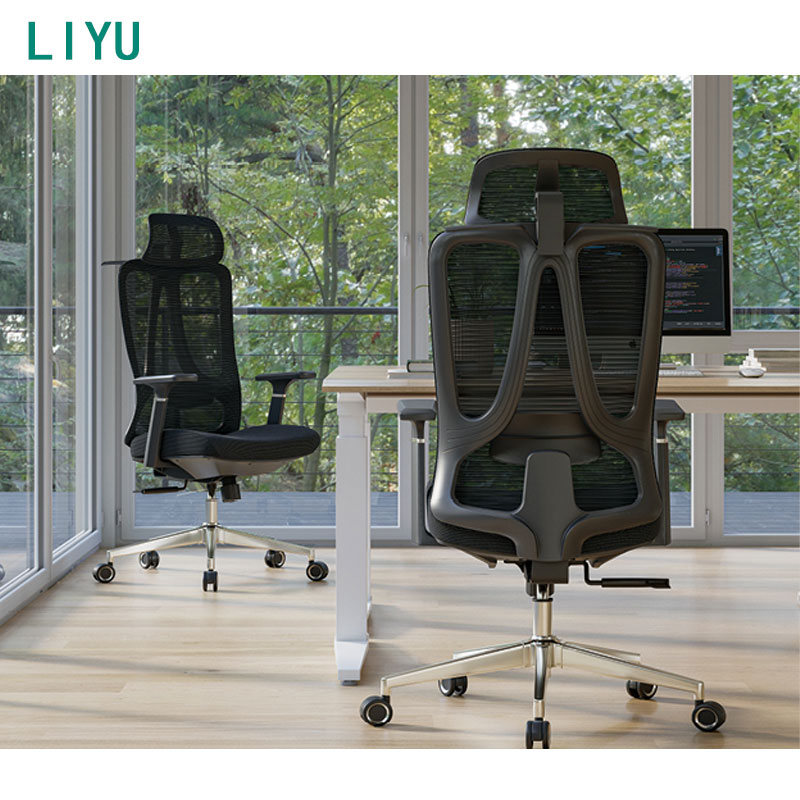
Commercial furniture must withstand intense daily use far exceeding basic residential standards. Selecting the right technical fabrics, industrial foams, and robust base structures directly extends the useful life of your corporate fleet.
Heat buildup causes significant physical discomfort during standard eight-hour shifts. A highly breathable mesh office chair back remains ideal for superior temperature regulation. It allows constant, cooling airflow around the user's spine, preventing excessive sweating and subsequent skin irritation in warmer office environments.
Seat cushions demand high-density, deformation-resistant padding to protect the pelvis properly. Low-density consumer foam feels incredibly plush initially but flattens permanently after just a few months of extended use. Once the internal foam collapses, employees sit directly on hard plastic or metal frame components, causing immediate pelvic pain.
Workplace safety requires strict, unwavering adherence to established structural standards. Always require a sturdy five-pedestal base to prevent dangerous tipping hazards. You should never accept four-leg bases for task-oriented computer work. A user reaching down for a dropped pen in a four-leg chair risks a sudden, severe fall.
Call centers, dispatch rooms, and shift-work environments place enormous mechanical stress on furniture. For these intense, unyielding settings, strictly evaluate models carrying specific 24/7 usage certifications. Look closely for TÜV GS or ISO 45001 compliance markers. These independent certifications guarantee superior structural integrity under constant, heavy-duty load spanning multiple user shifts.
Material Type | Primary Benefit | Ideal Corporate Use Case |
|---|---|---|
Commercial Grade Mesh | Maximum breathability and rapid heat dissipation | Standard 8-hour shifts in climate-controlled modern offices |
High-Density Fabric | Excellent friction durability and cushion longevity | 24/7 call centers requiring heavy-duty physical performance |
Vinyl / Faux Leather | Extremely easy to wipe down and sanitize thoroughly | Healthcare spaces, clinics, or active laboratory environments |
Managing individual employee medical requests presents a highly unique administrative hurdle. Human resources departments frequently encounter complex accommodation scenarios requiring careful, legally compliant responses.
The HR Challenge: You will likely receive specific doctor's notes from employees experiencing physical discomfort. These medical notes often request a highly specialized or notoriously expensive brand-name ergonomic chair. Handling these varied requests fairly requires a clear, well-documented corporate policy.
Employer Discretion: Employers must provide reasonable accommodations under workplace laws. However, they generally retain the legal right to choose the specific furniture model provided. You can legally select a cost-effective alternative from your approved vendor list. It simply must address the documented medical need effectively without causing undue administrative friction.
Alternative Interventions: Before authorizing an expensive custom purchase, assess the entire workstation holistically. Sometimes the seating unit itself is not the actual problem causing the physical complaint. You can often resolve discomfort through much simpler ergonomic interventions. Consider desk height adjustments, monitor arm installations, or adding angled footrests to correct improper knee angles. Adding a high-quality external lumbar cushion can also provide the necessary targeted support immediately.
Buying seating in bulk requires thorough validation before signing any massive purchase order. Implementing a structured pilot program actively prevents costly procurement mistakes and guarantees high employee adoption rates.
Establish clear, realistic budget tiers very early in the procurement process. Acceptable commercial quality typically starts around the 500-dollar mark. True 24/7 durability and advanced syncro-tilt mechanisms often command noticeably higher prices. Avoid race-to-the-bottom consumer models found at local retail stores. Cheap alternatives routinely fail within a single year, forcing you into an endless cycle of continuous replacements.
Standard dimensions do not fit everyone perfectly in a diverse workforce. You must clearly outline the necessity of keeping a secondary, higher-weight-capacity model on active contract. This specific "Big and Tall" exception ensures you support employees falling outside standard height or weight percentiles comfortably and respectfully.
Finally, conduct a rigorous, real-world multi-day sit test. A chair featuring low-density foam feels incredible for the first ten minutes in a showroom. That exact same foam fails miserably over two consecutive hours of actual computer work. Have a dedicated pilot group test your shortlisted models thoroughly.
Select two or three top-performing models based strictly on your biomechanical criteria.
Distribute these commercial demo units to a highly diverse pilot group.
Require testers to use the model exclusively for at least 3 to 5 full workdays.
Collect structured written feedback focusing entirely on end-of-day comfort and adjustability.
Finalize your bulk purchase order based confidently on this objective data.
Selecting the right ergonomic seating requires moving far beyond simple office aesthetics. You must evaluate objective biomechanical fit, demand proven commercial durability, and ensure strict HR policy alignment across the board. A carefully standardized approach protects your valuable workforce from physical injury while keeping your corporate budget entirely predictable.
Begin your seating upgrade process today. First, audit your current fleet’s average age and mechanical condition. Next, poll your employees anonymously to identify existing discomfort hotspots. Finally, request commercial demo units for your top two choices and launch your pilot testing phase immediately.
A: Quality commercial models typically offer 5 to 12-year warranties. Look closely at the warranty covering moving parts. Pneumatic cylinders and tilt mechanisms serve as the true indicators of a product's lifespan. If these components carry long warranties, the chair will easily survive years of daily corporate use.
A: Generally, no. Headrests are not necessary for standard computer tasks. They can sometimes push the user's neck forward uncomfortably. They remain mostly beneficial for employees who frequently recline for reading, monitor observation, or extensive phone work.
A: You must match the mobility hardware to your specific floor type. Use hard casters for carpeted areas. Choose soft, rubberized casters for hard floors like wood or concrete. You can also use protective chair mats. Proper casters prevent floor damage and stop uncontrolled rolling.