
Views: 0 Author: Site Editor Publish Time: 2026-08-14 Origin: Site


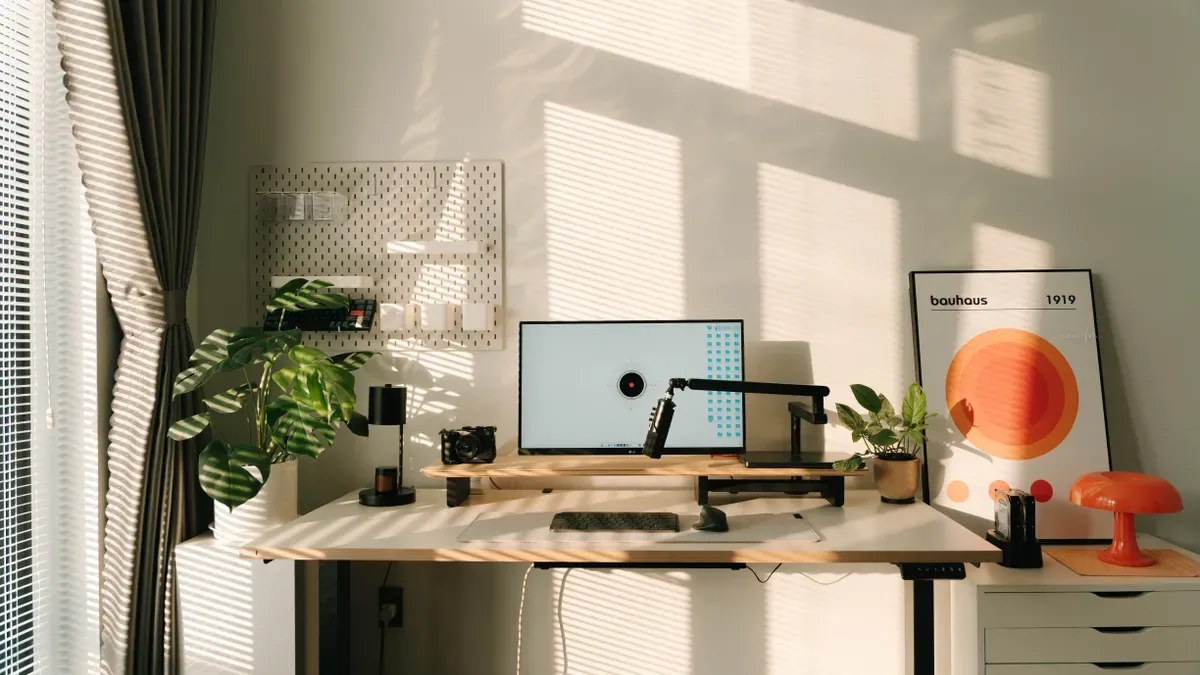
You can organize office furniture effectively through a simple, structured plan. Position your desk with purpose, clear traffic pathways, adjust your setup ergonomically, set up functional task zones, and maximize vertical storage. A thoughtful layout reduces visual distraction, sharpens daily focus, and enhances physical comfort. Clutter actively destroys momentum and peace of mind. For instance, a manager loses 1 hour per day to room disorder. Upgrading your personal workspace creates a smoother work routine every morning. You take full control over your physical environment, lower mental stress, and boost output when you organize your equipment and daily items with genuine intention.
Place your desk near the door so you see visitors clearly.
Set your desk side-by-side with windows to reduce screen glare.
Keep main walking paths at least three feet wide for easy movement.
Use L-shaped or U-shaped desks to save valuable room space.
Set up clear work zones for computer tasks and paper reviews.
Adjust your chair and monitor height to prevent neck and back pain.
Use wall shelves, closed drawers, and cable boxes to hide clutter.
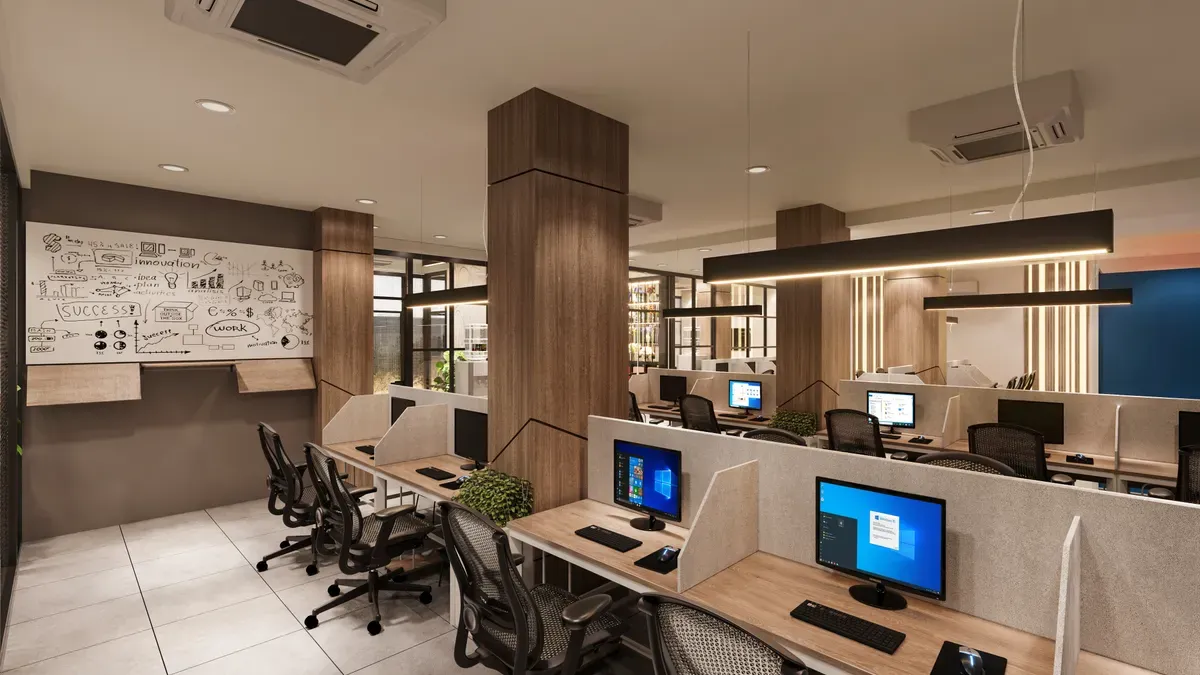
When you organize office furniture, you transform your daily routine into a smooth and productive experience. Strategic placement helps you concentrate on critical projects while lowering daily physical strain. Following proven arrangement principles ensures your layout remains inviting, functional, and efficient every day.
Place your desk in a location where you can view the doorway easily. The ideal desk orientation keeps the main entrance visible at a slight angle or off to the side. This setup lets you see anyone coming inside without twisting your neck or facing direct visual exposure. You gain a strong sense of spatial awareness and perceived control over your personal working space. Placing the desk outside the direct doorway path also protects you from immediate hallway footstep noise. You maintain mental clarity and keep your ongoing work private. When arranging office furniture, this strategic command positioning reduces subconscious stress instantly.
Never sit with your back toward the room entrance. Facing away from the door creates low-grade stress and unease because you cannot monitor incoming visitors. You lose daily concentration when you constantly worry about unexpected interruptions or people standing behind you. Avoid placing your desk directly facing the doorway as well. Sitting in direct alignment with the entry creates a feeling of being constantly watched. Noise and movement from the main corridor will break your deep focus. An angled desk view perfectly balances personal security and visual privacy without triggering mental fatigue.
Positioning your desk perpendicular to windows optimizes natural lighting while protecting your eyes. Research shows natural light in office settings significantly improves employee alertness (p < 0.036) and visual comfort (p < 0.001). Daylight with a high color temperature above 4000 K supports mental energy during long work shifts. Morning daylight exposure helps regulate your circadian rhythm and elevates daily mood. Looking into the distance periodically relaxes your eye's focusing system, and following the 20-20-20 rule cuts digital eye strain. Choosing this balanced orientation for home office furniture enhances your health and daily focus.
Direct sunlight falling on your computer screen destroys contrast and causes severe eye fatigue. Avoid placing your desk directly in front of or facing a bright window. Keep a small physical gap between your desk and the window glass so you can adjust window coverings with ease. Use layered drapes, adjustable blinds, or blackout curtains to soften intense afternoon sun rays. Reposition your monitor screen slightly off-axis whenever bright reflections appear. A thoughtful office furniture setup prevents harsh light reflections, protects your eyesight, and maintains your working comfort throughout the day.
Circulation Context | Minimum Clearance | Practical Application |
|---|---|---|
Primary circulation route | 36 inches | Unobstructed main pathways around desks and storage |
Tight single-file passage | 30 inches | Constrained minimum space between tight furniture edges |
Below 30 inches | Not recommended | Restricted movement, high collision risk, and blocked exits |
Unblocked pathways keep your daily spatial flow smooth, safe, and functional. Primary travel routes require a minimum clearance width of 36 inches around desks, file cabinets, and storage units. This standard width matches established safety guidelines and supports comfortable movement across the entire room. A reduced clearance of 30 inches serves only as a constrained minimum for tight, single-file passages. Pathways below 30 inches cause restricted movement and invite painful accidental bumps. Maintaining a spacious layout guarantees seamless navigation without frustrating bottlenecks.
Uncluttered walkways reduce accidental bumps and keep your daily workflow efficient. Keep power cables bundled neatly off the floor with adhesive clips or under-desk cable trays to eliminate tripping hazards. Functional zoning defines distinct work areas so guest chairs and temporary storage bins do not creep into main walking paths. You can also use visual floor cues, arrow indicators, or small footprint markers to maintain proper furniture spacing after moving items around. Taking time to organize office furniture prevents annoying collision points, keeps emergency exits clear, and turns your home office furniture space into a functional work hub.
You can transform your physical space with a clear plan before you move heavy items. Planning your room dimensions prevents tight squeezes and wasted movement. You can organize your home office efficiently when you follow a simple design routine:
Sketch your room while noting exact dimensions, windows, doors, and power outlets.
Assess your daily tasks to determine if you need multiple monitors or a laptop-only desk.
Use this blueprint to select home office furniture that fits your room without crowding walkways.
Choosing the right floor layout turns a cramped room into an energetic hub. You can organize your room around your natural daily workflow.
An L-shaped desk maximizes unused corner areas in medium-sized rooms. This design keeps your main floor area wide open for easy movement. When you plan your spatial footprint, allow roughly 60 inches wide by 84 inches deep for a workstation that includes your desk, chair, and circulation space. Choose a main desk top at least 48 inches wide for a simple rig, or pick a 60-inch surface if you want extra workspace. If you need guest seating, pick one or two lightweight chairs that pull up to the desk easily.
L-shaped desk arrangement | Floor-space savings |
|---|---|
Desks in opposite corners | Creates semi-private zones and reduces noise; central floor area stays open. |
Desks in both corners of a corner room | Maximizes usable floor space while keeping the center of the room clear for movement. |
Parallel wall desks in a narrow office | Uses both walls efficiently and places shared storage in the middle without blocking the path. |
Large dedicated rooms benefit greatly from a U-shaped desk configuration. This expansive structure surrounds you with wide surfaces and puts every single project within arm's reach. You turn your chair smoothly to access your computer, review physical files, or manage administrative tasks. However, wrap-around setups require generous room clearance so you do not feel trapped while working.
As a rule of thumb, minor walkways should be at least 36 inches wide, while major routes need to be closer to 48 inches.
Dividing your office into specific functional zones stops administrative clutter from invading your main screen space. Assigning distinct tasks to distinct physical spots gives you one of the best tips for working in a home office.
Your primary computer station requires strict clutter control to protect your daily concentration. You can establish clear physical boundaries across your desk surface to maintain peace of mind:
Primary zone: Keep only your screen, keyboard, and mouse in this central action area.
Secondary zone: Place active reference items like pens, sticky notes, and your phone in side organizers just outside your mouse path.
Tertiary zone: Store low-frequency items like desktop printers, heavy reference books, and extra cables along the back edge or inside under-desk trays.
This functional structure streamlines your office furniture setup and keeps your active typing workspace clean.
Separating paper documents from screen tasks keeps physical files from piling up around your computer monitor. An offline review area gives you a comfortable, clean surface for reading paper files, signing important contracts, and taking notes by hand. Setting up a secondary writing surface allows you to step away from bright digital screens during long reading sessions.
Furniture configuration | Dedicated computer station | Offline review area |
|---|---|---|
Traditional desk / computer table | Provides a stable work surface at a comfortable height for computer use; can be purchased used and is roomy enough for computer equipment. | Should leave clear surface space for non-computer tasks, including printed references, paperwork, and a desk lamp. |
Armoire-style work center | A closed cabinet with a slide-out keyboard shelf and cable management can house the computer setup. | Built-in shelves, file drawers, and supply storage keep offline reference materials nearby; doors can conceal the work area. |
Reinforced countertop workstation | A built-in counter can support a computer and printer if it is reinforced and sized for comfortable depth and height. | Needs enough extended surface and reinforcement to allow paperwork; wiring cutouts and drawers help keep offline tasks organized. |
Choosing the right layout gives you total control over paper clutter. When you organize your home office into smart functional zones, arranging home office furniture with purpose improves your daily focus automatically.
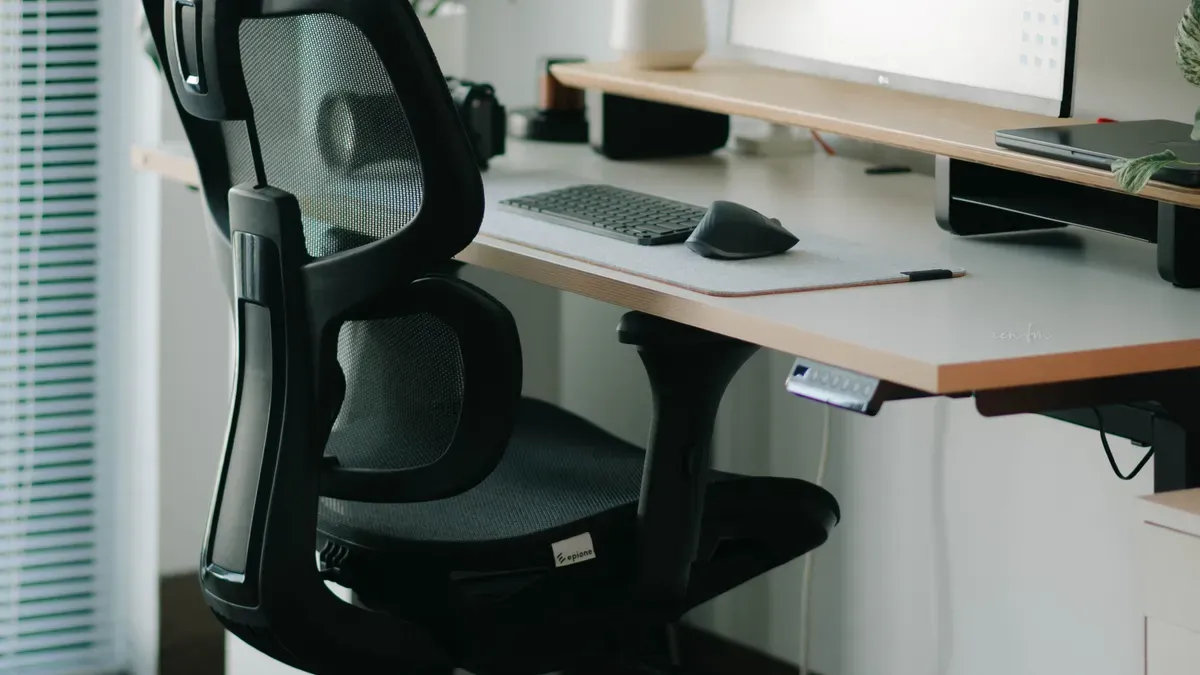
You protect your joints when you adjust seat and table height. Set chair height so feet rest flat on the floor. Knees and hips should form a 90 to 100 degree bend. A user between 5 feet 10 inches and 6 feet 1 inch tall needs a seated desk height of 27 to 30 inches.
Proper elbow placement keeps shoulders relaxed while typing. Set your desk at or slightly below elbow height. Standing desk users can measure from the floor to the bottom of their bent elbow to set a standing height between 42 and 46 inches. Keeping 20 to 28 inches of under-desk clearance lets legs move freely.
Adjusting chair backrests transforms how your spine carries weight. Position the lumbar pad into the natural curve of your lower back. Recline your backrest slightly to about 100 to 110 degrees to lower spinal pressure. Leave two to three finger widths between the back of your knees and the seat edge.
Proper body support generates significant health benefits. One office recorded a 30 percent pain reduction after upgrading to ergonomic seating. A health services organization experienced a 30 percent drop in absenteeism by improving posture. Setting armrests correctly prevents shoulder drooping, while adjusting home office furniture maintains daily energy.
Placing your monitor correctly prevents neck strain. Set your screen directly in front of you, within 35 degrees to either side. Position the top edge at or slightly below eye level so eyes look downward naturally. A modest backward tilt of 10 to 20 degrees reduces harsh light reflections.
Maintain a proper viewing distance to keep your eyes fresh. Place your monitor roughly an arm's length away, between 20 and 40 inches from your eyes. Sitting too close causes eye fatigue. Setting up home office furniture properly protects your eyesight and improves your concentration throughout the workday.
Arranging tools in clear zones keeps your body comfortable. Place high-frequency items like your keyboard, mouse, and notepad inside your primary work zone. Allowing at least 20 inches of work surface depth leaves ample room for equipment. This arrangement stops awkward reaching and protects your shoulders from tension.
Organizing active gear streamlines tasks and boosts daily output. A software firm reported a 25 percent increase in project delivery speed after optimizing alignment. Keeping daily tools in reach lowers fatigue and turns your workspace into a comfortable station.
Blank wall space offers a prime opportunity to expand your storage capacity. Installing floating shelves or wall-mounted units helps you hide extra gear without consuming valuable desk surface. Command hooks attached to side walls or cabinet panels help you organize headphones, cables, and keyrings right where you need them.
These smart wall additions keep your daily desktop free from physical distractions. You can grab essential tools instantly during your workday and return them to their designated hooks with ease. Elevating your equipment creates a clean, open layout that feels instantly refreshing and keeps your daily tasks moving smoothly.
Stacked storage boxes turn unused vertical space into a structured filing hub. You can arrange durable containers made from sustainable materials on lower shelves or inside open corners. Placing lightweight boxes on top of heavier containers preserves your floor space while keeping seasonal paperwork safe and sound.
Clear labels on each box remove any guesswork during busy work sessions. You can pull down specific archives without disrupting the rest of your home office furniture setup. This organized vertical stack protects important records and keeps your room completely clear for natural movement.
Sorting your supplies into clear categories before drawer placement streamlines your daily workflow. You organize better when you group items by their actual function instead of tossing everything into one single bin. Grouping like with like puts everything in its proper place so you never lose track of active items.
Writing instruments and notepads: Store pens, highlighters, sticky notes, and paper notebooks in neighboring compartments for intuitive retrieval.
Tech accessories and chargers: Keep power cords, magnetic guides, and backup batteries together inside one soft container.
Fasteners and cutting tools: Place paper clips, staplers, tape, and scissors together to manage paperwork without delay.
Closed cabinets and deep desk drawers offer the ultimate solution for hiding visual clutter. Concealed compartments keep active files, extra printer paper, and personal items completely out of sight until you actually need them. Storing supplies behind solid doors lowers visual noise and protects your daily focus.
Choosing home office furniture with built-in drawers ensures every supply stays within easy reach. Closing cabinet doors at the end of the day signals a clear mental break from your job. You protect your personal workspace and enjoy a stress-free environment every single morning.
Under-desk trays keep dangerous cords off your floor space. You can mount a Monoprice Desk Tray, which features a 24-inch white metal design that holds a full power strip. Installing a QiaoYoubang Cable Rack with adhesive or screws hides loose wiring out of sight. You prevent accidental trips and maintain a clean floor area.
Proper trays also protect your equipment and follow electrical standards. Always choose communications cables with a temperature rating of at least 60°C. For heavy cable bundles exceeding 192 cables, follow safety limits to prevent excessive heat buildup. Open wire racks allow continuous air movement across all your cords.
You can group loose wires together into single runs. An Alex Tech Wire Sleeve wraps multiple cords into one clean bundle from your desktop down to the floor. Adding Tidy Helper Clips helps guide individual vertical lines along table legs. This structure keeps your equipment lines stable and quiet.
Flexible fasteners make daily cord adjustments effortless. You can secure extra slack inside your trays using simple Velcro cable ties. These soft wraps let you organize new devices without cutting rigid ties. Clean routing prevents annoying tangles and protects your daily setup.
Power strips often create visual clutter under your main desk area. Placing your surge protector inside an Orico Cable Management Box hides messy plugs instantly. You should select power units with USB-C PD ports to power modern devices efficiently without bulky wall adapters.
Safe power enclosures require proper ventilation. Keep enough open space around your power strip inside the tray so air flows freely around transformers. If your desk features built-in compartments, ensure the composite wood meets CARB Phase 2 or EPA TSCA Title VI emissions standards for safety.
Accessing wall power should never force you to move heavy furniture. Using a side-access adapter like the GE Pro 5-Outlet Extender lets plugs connect flat against the wall. This smart design prevents bent cords and protects your furniture from pressing against wall sockets.
Clear labeling simplifies ongoing maintenance when you swap hardware. Attach self-locking zip ties with labels onto each cord before placing them into a box. You can organize your workspace easily when every plug points to its correct matching device.
You organize office furniture effectively when you combine strategic desk placement, clear layout zoning, ergonomic adjustments, category-based storage, and smart cable control. This complete layout framework gives you direct, comfortable control over your daily working routine.
Reassess your physical room layout every few months to adapt to changing workflow requirements. Research from the Journal of Environmental Psychology shows that individuals in clean, orderly environments focus better and work more efficiently. Building an organized workspace reduces mental overload and cuts daily stress significantly. When you organize office furniture with clear personal intention, your primary working environment becomes a calm, productive hub every single morning.
You should place your desk in a command view adjacent to the doorway. This strategic position lets you monitor the entrance easily without facing direct door traffic. You maintain visual privacy, avoid sudden distractions, and reduce daily mental stress.
Main traffic pathways require a clearance width of at least 36 inches around your furniture. This open space prevents painful bumps and keeps room navigation safe. Constrained, single-file passages need a minimum clearance of 30 inches to maintain smooth movement.
Align the top edge of your screen at or slightly below your eye level. Keep the monitor about an arm's length away, between 20 and 40 inches from your eyes. This setup protects your eyesight and prevents awkward neck strain.
An L-shaped desk transforms empty corner areas into active work hubs. This practical design leaves your central floor space open for easy movement. It gives you distinct surface areas for screen tasks and paper reviews within comfortable arm's reach.
Mount an under-desk wire tray to keep power strips off the floor. You can bundle loose cords together with flexible sleeves and adhesive clips. Enclosing surge protectors inside cable boxes hides visual clutter and maintains clear foot space.
Reassess your furniture arrangement every few months to match your changing work habits. Periodic updates help you clear out fresh clutter and refine your ergonomic setup. Regular adjustments maintain a stress-free workspace that supports your daily productivity.


