
Views: 0 Author: Site Editor Publish Time: 2026-09-17 Origin: Site


The architectural appeal of a window-facing workspace often conflicts with the ergonomic and technical realities of digital work. Professionals and office designers must balance the psychological benefits of natural light with the practical challenges of screen glare, temperature fluctuations, spatial inefficiency, and material degradation. Setting up a workstation near glass requires more than just moving furniture. You have to account for thermal drafts, manage cable visibility from the exterior, and control luminance ratios to prevent eye strain. This guide breaks down the success criteria for window-facing workspaces, evaluates the structural trade-offs, and provides a framework for selecting the right furniture to mitigate implementation risks. We will look at specific layout configurations, hardware mounting constraints, and environmental controls needed to make this setup function properly.
Placing an office desk in front of a window is highly dependent on the window’s cardinal direction; North and South-facing windows offer more stable lighting than East or West-facing windows.
Screen glare and backlighting are the primary ergonomic risks, requiring specific monitor positioning and window treatment interventions.
HVAC proximity (radiators or vents located under windows) dictates desk selection, often necessitating open-frame designs over heavy, enclosed furniture.
Successful implementation requires advanced cable management and careful spatial planning, as window placements expose the rear of the desk to the room and can interfere with monitor arm mounts.
Evaluating the impact of direct sunlight on monitor visibility requires understanding human visual ergonomics. When you plan an office desk in front of window setup, the contrast between the bright outdoors and your backlit screen forces your pupils to constantly adjust. This rapid adjustment causes severe eye strain and fatigue over a standard workday. You must measure ambient light levels throughout the diurnal cycle to prevent these extreme contrast ratios.
The primary success metric for visual comfort is achieving a 3:1 luminance ratio. The background (the window) should be no more than three times brighter than your immediate task area (the screen). Direct morning or afternoon sun easily shatters this ratio, washing out digital displays and rendering text illegible. Achieving this balance requires active light management.
Adjustable light filtration becomes an absolute necessity. You cannot rely on standard blackout curtains, as they entirely sacrifice the view and defeat the purpose of the placement. Instead, install solar shades with a 3% to 5% openness factor or cellular blinds. These treatments diffuse harsh daylight, cut UV transmission, and maintain exterior visibility while keeping the luminance ratio within acceptable ergonomic limits.
Window Direction | Lighting Characteristics | Recommended Window Treatment |
|---|---|---|
North | Consistent, indirect, cool light throughout the day. | Light filtering sheer shades or 5% solar shades. |
South | Intense, direct sunlight for most of the day. High heat gain. | 3% solar shades or cellular shades with thermal backing. |
East | Harsh, low-angle morning glare. Cools down in the afternoon. | Adjustable horizontal blinds or dual-roller shades. |
West | Intense, low-angle afternoon glare. High late-day heat. | Heavy solar shades (1% openness) or UV-blocking film. |
Architectural layouts frequently position climate control infrastructure directly beneath exterior windows. Radiators, baseboard heaters, and forced-air AC vents occupy the exact footprint where a desk would sit. Placing solid furniture over these units disrupts room airflow and creates localized microclimates that impact both user comfort and equipment lifespan.
You must evaluate the risk of thermal drafts and direct solar heat gain. A desk positioned over an active radiator traps heat against the underside of the work surface. This bakes the user's legs and elevates the operating temperature of laptops and desktop towers stored beneath the desk. Conversely, poorly insulated older windows create cold downdrafts in winter, chilling the user's hands and reducing typing efficiency. Proper placement requires measuring the clearance around HVAC units to ensure unobstructed thermal regulation.
To manage HVAC proximity effectively, follow these spacing guidelines:
Leave a minimum of 6 inches between the back of the desk and a baseboard heater.
Maintain at least 12 inches of vertical clearance above a cast-iron radiator.
Never place a solid modesty panel directly in front of a forced-air return vent.
Route all power cables at least 8 inches away from active heating elements to prevent insulation melting.
Camera sensors struggle with high dynamic range environments. When you face away from a window, the camera exposes for the bright background. This creates the silhouette effect, rendering your face as a dark, featureless shadow during video calls. Software-based exposure compensation often introduces heavy digital noise, degrading the professional quality of your feed.
Facing the window directly reverses this problem, offering significant front-lighting benefits. Natural daylight acts as a massive softbox, illuminating your face evenly and eliminating harsh shadows. You must weigh this benefit against the risk of overexposure during peak sunlight hours. Unfiltered midday sun can blow out facial highlights and force you to squint into the camera. Managing this requires the same solar shades used for screen visibility, ensuring the light remains soft and diffused.
The direct-facing layout pushes the desk flush against the glass, pointing the user directly outside. The primary advantage is the maximum utilization of natural front-lighting for video calls. You also secure a direct, unobstructed line of sight to the outdoors, maximizing the psychological benefits of the view.
The drawbacks are significant. This orientation presents the highest risk of eye strain due to background brightness. Your eyes constantly fight the glare coming from behind the monitor. This layout eliminates the traditional command position. Your back is exposed to the room and the door, which can cause subtle psychological discomfort and make you vulnerable to interruptions from behind.
The perpendicular layout turns the desk 90 degrees, positioning the window to the user's left or right. This effectively mitigates direct screen glare while maintaining a high level of ambient natural light in the workspace. You retain a view of the outdoors with a simple turn of the head, and you can often position the desk to keep the door in your peripheral vision.
This layout does require more floor space, as the desk extends into the center of the room rather than hugging a wall. During video calls, the directional light creates uneven illumination, casting strong shadows on one side of your face. You will likely need a supplemental fill light or a desk lamp on the opposite side to balance the exposure for professional conferencing.
Positioning the desk so you face the room with your back to the window establishes a strong command position. You have full visibility of the door and the interior space. This orientation entirely eliminates background glare for the user, as the bright window is out of your direct line of sight.
However, this layout guarantees severe screen glare. The window reflects directly off your monitor, often making digital work impossible without drawing the blinds. It also creates the severe backlighting silhouette effect for video conferencing mentioned earlier. Choosing this office desk layout is generally the least practical for heavy computer users unless the window faces strictly North and receives no direct sunlight.
Window style dictates your layout options and furniture choices. Floor-to-ceiling windows expose the entire under-desk area to the outside world. This demands flawless cable management. Any trailing wires, power strips, or messy storage will be highly visible from the exterior. Modesty panels also become prominent visual elements, potentially blocking the architectural flow of the glass.
Standard windows feature sills that create depth constraints. A protruding sill prevents a desk from sitting flush against the wall. This creates a gap where pens and papers can fall, and it pushes the desk further into the room. You must measure the height of the sill relative to the desk surface. If the sill is lower than 29 inches, the desk will block the lower pane of glass, creating an awkward visual intersection from both inside and outside.
Small floor plans, urban apartments, and secondary office spaces with standard sill windows require specific furniture profiles. In these environments, heavy furniture overwhelms the room and blocks natural light. You need a footprint that maximizes utility without dominating the visual space.
A compact office desk with an open-leg frame is the optimal choice. The minimalist structure allows for unobstructed airflow from under-window HVAC units. It prevents heat from trapping against the work surface and ensures the room's climate control functions properly. An open frame prevents the desk from blocking lower window panes, maintaining the architectural integrity of the space and allowing light to reach the floor.
Dedicated corporate offices or large home offices often require significant surface area, integrated storage, and a commanding presence. These spaces demand heavier furniture, but placing massive pieces near glass requires careful material and structural evaluation.
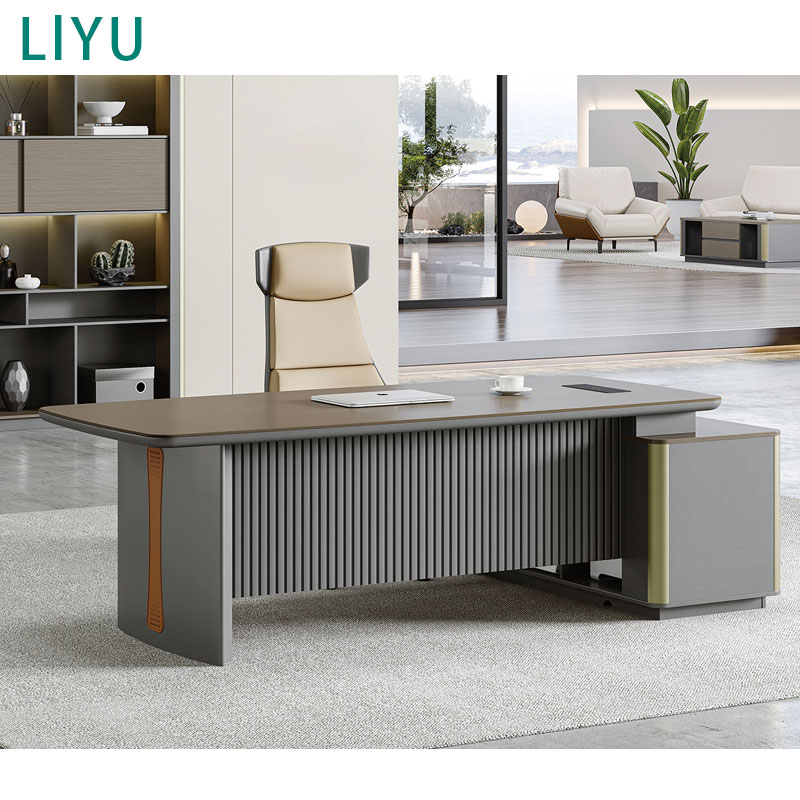
Heavy modesty panels and integrated storage pedestals on a modern executive desk can trap heat against a window and severely block natural light. If the desk sits over a vent, the solid wood acts as a thermal barrier. To mitigate this, select executive designs with floating tops or perforated metal modesty panels. These features maintain spatial flow and allow air to circulate. Ensure all wood veneers are factory-treated for UV resistance, as continuous sun exposure will rapidly bleach and warp untreated finishes.
Desk Material | UV Resistance Level | Suitability for Window Placement |
|---|---|---|
High-Pressure Laminate (HPL) | Excellent | Highly recommended. Resists fading, warping, and heat damage. |
Powder-Coated Steel | Excellent | Highly recommended. Will not degrade, though it can absorb heat. |
Solid Hardwood (Untreated) | Poor | Not recommended. Prone to severe bleaching, cracking, and warping. |
Tempered Glass | Excellent | Good, but requires frequent cleaning and can reflect harsh glare. |
Placing a desk against a window often exposes the back of the workstation to the rest of the room or directly to the outside view. Standard desks hide cable chaos against a solid wall. When that wall is transparent, every power cord, monitor cable, and peripheral wire becomes a visual eyesore.
You must utilize advanced cable management systems to maintain a professional appearance. Follow these specific steps to route cables on an exposed desk:
Mount a high-capacity metal cable tray directly to the underside of the desktop, positioning it at least 4 inches from the rear edge to keep it out of sight.
Secure a surge protector inside the tray using heavy-duty double-sided mounting tape or zip ties.
Route all monitor, keyboard, and peripheral cables through desktop grommet holes directly into the under-desk tray.
Bundle the slack from all cables using hook-and-loop fasteners, ensuring no wires droop below the tray line.
Run the single main power cord from the surge protector down the back of the desk leg using a flexible cable spine or adhesive routing clips.
Ground-floor windows introduce severe security vulnerabilities. When your screen faces the window, or when your desk sits flush against the glass, you expose sensitive on-screen data to passersby. You also advertise expensive hardware to potential thieves.
Implement physical and optical barriers immediately. Apply 4-way privacy screen filters to all monitors. These restrict the viewing angle so the screen appears black from the sides, top, and bottom. Utilize bottom-up window shades. These treatments mount at the sill and pull upward, blocking street-level views and protecting your hardware while still letting natural light enter through the upper half of the window.
Window architecture frequently interferes with ergonomic hardware. Deep window sills can push the desk too far into the room, wasting floor space. Shallow desks pushed against a radiator can force the user's knees against hot metal, ruining seating posture.
Desks pushed flush against glass prevent the use of standard C-clamp monitor arms, as the clamp mechanism requires clearance behind the desk edge. Measure the exact clearance required for your specific monitor arm before finalizing the desk depth. If clearance is zero, opt for grommet-mounted arms that bolt through a hole in the desktop. Ensure you have adequate knee space, requiring a minimum of 24 inches of depth, to sit comfortably without striking the wall or HVAC units.
Continuous direct sunlight acts as a destructive force on office equipment. UV radiation warps solid wood, fades delicate veneers, and degrades the chemical structure of plastic monitor casings, turning them brittle and yellow over time.
Apply UV-blocking window films directly to the glass. Ceramic window films reject up to 99% of UV rays and block significant solar heat without darkening the room. When selecting furniture, prioritize materials with high UV resistance. High-pressure laminates, powder-coated steel frames, and tempered glass surfaces withstand solar exposure far better than natural wood or cheap melamine.
Biophilic design principles confirm that access to natural views significantly improves cognitive function. Looking at nature reduces cortisol levels and lowers baseline stress. A window-facing desk facilitates the 20-20-20 rule for eye health. Every 20 minutes, you look at something 20 feet away for 20 seconds. An exterior view provides the necessary focal depth to relax the ciliary muscles in the eyes, reducing fatigue and sustaining focus over long work sessions.
Facing a window often forces you to turn your back on the room's entrance. This violates the core Feng Shui concept of the command position. Having your back to the door creates subconscious psychological discomfort, triggering a low-level fight-or-flight response because you cannot see who is entering the space.
If you must face the window, mitigate this vulnerability. Use a perpendicular layout to keep the door in your peripheral vision. Place a small, convex mirror on your monitor or desk surface. This allows you to monitor the room's entrance without turning around, restoring a sense of security and control over your environment.
You must weigh the cognitive load of your specific view. High-traffic outdoor environments, such as street-level urban windows, introduce constant kinetic movement. Cars passing, people walking, and flashing lights fracture attention and pull you out of deep work states.
Static views, such as tree lines, gardens, or high-rise skylines, provide the benefits of natural light without the aggressive visual interruptions. Use a simple decision framework to evaluate the space. If the external environment fractures attention, use sheer blinds to blur the movement while retaining the light. If the view supports deep work, keep the sightlines open.
Measure the height of the window sill relative to standard desk heights (29-30 inches) to ensure the furniture will not awkwardly intersect the glass panes.
Assess the cardinal direction of the window to predict sunlight intensity; install 3% to 5% solar shades if facing East or West.
Verify monitor arm clamp clearance against the glass or sill, opting for grommet mounts if space is restricted.
Audit the room's HVAC placement beneath the window and select an open-frame desk to guarantee proper thermal circulation.
A: Yes, if the window is behind you or directly in front of you. Perpendicular placement or using anti-glare monitor coatings and solar shades mitigates this issue entirely.
A: Use under-desk cable management trays, zip ties, and a cable spine. Route wires directly down the desk leg to the nearest floor outlet to keep the silhouette clean from the outside.
A: Prolonged direct sunlight causes thermal damage to internal components and fades plastic casings. UV-blocking window films or shades are highly recommended to protect your hardware.
A: Facing the window directly provides the best natural, even lighting for your face. If the light is too harsh, a perpendicular layout with a secondary ring light is the optimal compromise.
A: Yes, but executive desks often have solid modesty panels that block under-window heating vents. Ensure there is adequate clearance for airflow and that the finish is UV-resistant.
A: Leave at least 6 to 12 inches of clearance between the desk and a radiator. This prevents fire hazards, protects desk materials from warping, and allows proper heat circulation.
A: If your desk is flush against the glass, a standard C-clamp monitor arm will not fit. You must leave a gap, use a freestanding mount, or drill a hole for a grommet mount.


