
Views: 0 Author: Site Editor Publish Time: 2026-03-26 Origin: Site


Traditional straight-edged desks were historically designed for analog drafting and writing. In modern digital workflows, these rigid shapes force you to overreach. You stretch daily, leading to wrist strain, unsupported forearms, and chronic neck craning.
A smooth modern curved office desk bridges the gap between spatial limitations and human anatomy. By bringing your primary work zone inward, it creates an immersive, wrap-around workstation. This shift drastically reduces the daily physical toll of computer-centric tasks.
This guide provides a framework to evaluate, shortlist, and select a curved workspace solution. You will learn to identify models delivering measurable ergonomic returns. Use these criteria whether outfitting a centralized corporate office or building a high-performance home workspace.
Anatomy-First Design: Curved desks adapt to PC-centric workflows by keeping monitors equidistant and providing natural anchor points for both forearms.
The Cutout Pitfall: A curved desk's central cutout must be measured carefully; if the gap is too wide, it eliminates essential elbow support and defeats the ergonomic purpose.
Spatial Efficiency: The softened edges of a curved desk reduce visual bulk in small rooms and maximize corner footprints without the rigid footprint of a standard L-shaped desk.
Investment Protection: Evaluate vendor trust signals—such as minimum 30-day return policies and comprehensive warranties—before committing to high-ticket or Executive Desk models.
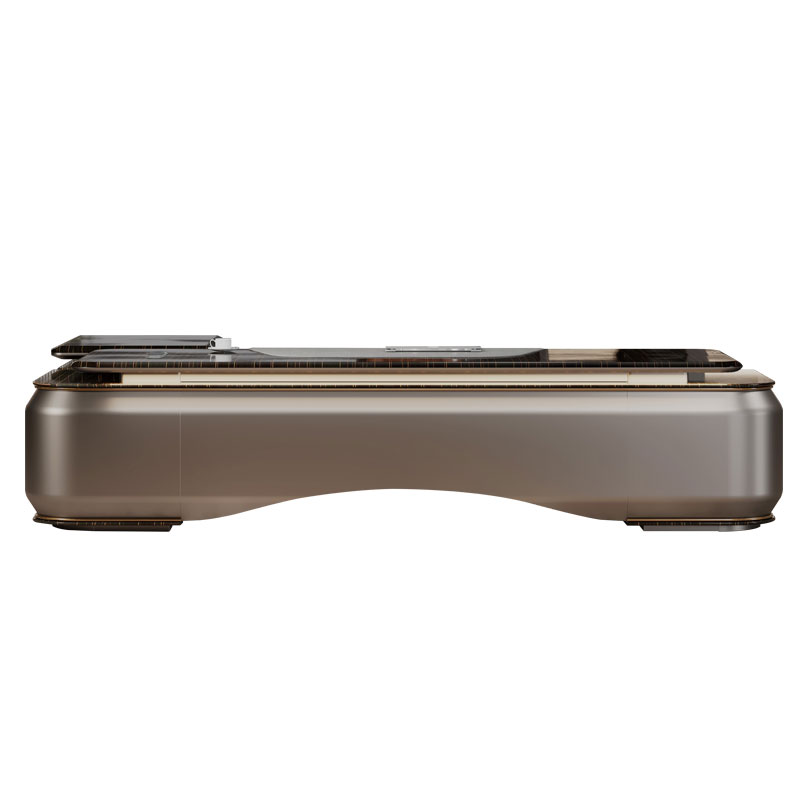
Workspaces underwent a massive evolution over the last few decades. We can easily contrast the legacy "writing desk" against the modern "computer desk." Historical writing tasks required deep, flat surfaces. People needed vast room to spread out physical ledgers, blueprints, and scattered papers. Today, digital professionals rarely need such extreme desk depth.
Modern workflows demand proximity to screens, keyboards, and mice. A straight-edged writing desk actually works against you here. It pushes your monitors too far away or leaves your arms dangling over a hard edge. The curved shape solves this inherent mismatch between vintage furniture geometry and modern technology.
Upgrading your setup unlocks distinct biomechanical advantages. We must look at how the body interacts with the furniture daily. The inward curve actively shapes your posture.
Reduced Reach Distance: The inward curve limits the need to stretch for your mouse and keyboard. You keep your shoulders relaxed and squared. Your arms stay comfortably close to your torso.
Forearm and Elbow Anchoring: Wrap-around sides naturally support both arms. This structural anchoring takes the heavy load off your upper back. It prevents the typical late-afternoon shoulder burn.
Inclusive Posture: The curved cutout easily accommodates various body types. It provides essential abdominal clearance. You avoid leaning forward or slouching just to reach your keyboard.
Smart companies now evaluate business impact through Total Cost of Ownership (TCO). Think beyond the initial purchase price. You should frame this investment as a preventative measure against unseen workplace injuries. Repetitive strain injuries silently drain company resources.
Reducing chronic pain directly correlates to sustained productivity. Employees experience fewer lost hours when they feel physically supported. A high-quality curved desk pays for itself by keeping you focused, comfortable, and out of the physical therapy clinic.
Buyers often overlook the most critical dimension: the central cutout. You face a severe ergonomic risk if you buy a desk featuring a cutout too wide or too deep. Many manufacturers cut a dramatic curve purely for visual flair. They ignore human biomechanics completely.
A cutout exceeding 55cm (about 21.6 inches) usually spells trouble. If the gap spans too wide, your elbows will fall into empty space. They will miss the supportive surface entirely. This scenario causes asymmetrical posture. You end up resting one arm on the desk while the other hangs freely.
Best Practice: Always measure your resting elbow-to-elbow span before buying. Sit naturally, bend your arms at a 90-degree angle, and measure the distance across your body. Your desk's cutout must be narrower than this measurement.
Standard static desk height generally ranges from 28 to 30 inches. This traditional measurement accommodates average heights but fails many users. You must evaluate whether this standard matches your specific seating height. Short individuals often find 30 inches awkwardly high, elevating their shoulders.
Consider whether you require a sit-to-stand adjustable frame. Variable workflows benefit massively from changing postures throughout the day. An adjustable frame pairs perfectly with a curved top. You can fine-tune the exact millimeter height to match your seated and standing elbow levels.
Modern professionals rarely work on a single screen. Curved edges allow for a softer, semi-circular arrangement of dual or triple monitors. Placing monitors along a straight edge means the outer screens sit further away. You must constantly refocus your eyes as you look between them.
A curved desk physically mimics a multi-monitor layout. This symmetry keeps all screens at an equal focal distance. You significantly reduce eye strain over an eight-hour shift. Furthermore, you minimize repetitive neck panning. A slight turn of the head replaces uncomfortable twisting.
Your desk surface determines both longevity and daily comfort. Different materials serve different professional aesthetics and budgets. You need to weigh durability against the initial investment cost.
Solid wood or walnut veneers are often found in a high-end Executive Desk. They offer maximum durability. They project a premium mid-century aesthetic ideal for leadership suites. However, they come at a higher initial cost and require occasional maintenance.
MDF or engineered wood provides a cost-effective and lightweight alternative. These boards form the backbone of most commercial office furniture. Buyers must carefully check for high-quality edge-banding. Poor banding peels quickly along the curved friction points where your arms rest.
Sintered stone or tempered glass delivers high scratch resistance. They provide a sleek, ultra-modern look. However, these materials require rigorous cable management. You cannot easily hide wires behind transparent glass or drill new routing holes into solid stone.
Curved Desk Material Comparison Chart Material Type Durability Aesthetic Vibe Primary Consideration Solid Wood / Veneer Very High Premium, Classic, Executive Higher cost; requires occasional polishing. MDF / Engineered Medium Versatile, Modern, Functional Check edge-banding quality on curves. Tempered Glass High (Scratch-proof) Ultra-Modern, Minimalist Cables remain highly visible; attracts fingerprints. Sintered Stone Extreme Luxurious, Industrial Very heavy; difficult to mount clamp accessories.
Curved furniture alters how we perceive physical space. It actively reduces "visual imposingness." Sharp-angled rectangular desks dominate small rooms. They create harsh boundary lines blocking visual flow.
A large curved desk feels less restrictive in a shared space. The softened front edge invites movement around the furniture. In cramped home offices, this optical illusion makes the room feel breathable. You gain a massive work surface without feeling trapped in a corporate cubicle.
A beautiful ergonomic workspace fails if wires create daily chaos. Because curved desks often sit away from flat walls, cable management becomes critical. They sometimes wrap around the user in the center of a room. Integrated cable routing is a non-negotiable feature for a clean setup.
You should seek out built-in grommets and under-desk cable trays. Power strips must mount securely beneath the surface. Hanging cables catch on knees and ruin the floating aesthetic.
Placement Strategy:
You can optimize room flow based on how you orient the desk. Placement strategies directly impact focus and teamwork.
Corners: Pushing the desk into a corner maximizes unused square footage efficiently. The curve fills the dead space where two walls meet.
Open Plan / Floating: Placing the desk centrally changes room dynamics. The convex side naturally encourages face-to-face team collaboration. It promotes fluid movement in a shared office environment.
Accessory Compatibility:
Note the inherent limitations of curved edges. They can make mounting standard clamp-on monitor arms difficult. The same applies to microphone stands or ring lights. C-clamps require flat, parallel surfaces to grip securely.
Common Mistake: Buying heavy clamp mounts before checking desk geometry. Verify your chosen desk features a flat transition area at the rear. Alternatively, ensure it includes pre-drilled grommet holes specifically designed for heavy-duty monitor mounts.
You must navigate countless options on the market. Follow a structured logic to narrow down your choices. This prevents costly mistakes and ensures total ergonomic satisfaction.
Define the Workflow Ratio: Assess your daily paper-to-digital work ratio. High digital use heavily favors the curved design. If you spend 90% of your day typing and clicking, prioritize the inward curve. If you constantly review large architectural blueprints, you might need a secondary flat surface.
Determine the Form Factor: Choose your ideal footprint based on role and room size. Select a minimalist curved writing desk for tight apartments. Opt for a height-adjustable workstation for intensive tech jobs. Choose a heavy-duty curved executive model if commanding a large private office.
Vet the Vendor: Never buy an ergonomic desk without a safety net. Look for explicit trust signals. Demand a minimum 14-day price matching guarantee. Seek out free shipping, as freight costs run high for large furniture. Insist on a hassle-free 30-day return policy. Ergonomics are highly personal; you must be able to return it if the desk does not fit your specific body mechanics.
Upgrading to a smooth modern curved office desk is not just an aesthetic choice. It stands as a calculated ergonomic upgrade designed for long-term health. You actively align your workspace with human biomechanics. This simple geometry change reduces reach, anchors your posture, and protects your joints.
Remember to carefully measure your intended cutout width. You must confirm your elbows will rest securely on the surface. Additionally, always verify monitor mount compatibility before purchasing clamps or accessories.
Next Steps: Grab a tape measure today. Review the specific dimensions of your workspace, your seating height, and your current monitor setup. Keep your elbow-to-elbow span handy before proceeding to any vendor's product page.
A: Yes. The curved shape is actually ideal for multiple screens. It allows monitors to be angled in a semi-circle. This arrangement keeps them at a uniform viewing distance and significantly reduces neck rotation. Just ensure the desk has flat rear edges or grommet holes for your monitor arms.
A: Often, yes. The softened front edge reduces the visual bulk of the furniture. This design trick makes the room feel less cramped. It provides ample working area while efficiently maximizing corner or wall space.
A: The primary drawback is reduced forward reach space. If your workflow requires spreading out large blueprints or excessive physical paperwork, the inward curve limits your flat, forward working area. Additionally, clamping heavy accessories to a rounded edge can be difficult without dedicated flat zones.
A: Pay close attention to the "cutout width" in the specifications. Ensure the gap is narrow enough for your frame. Both of your forearms and elbows must rest comfortably on the desk surface without dropping into the center space. Measure your resting elbow span to confirm.


