
Views: 0 Author: Site Editor Publish Time: 2026-09-25 Origin: Site


The evolution of remote work has shifted room requirements from strictly utilitarian desk setups to hybrid environments that require dedicated zones for deep work, casual reading, and screen breaks. Integrating seating into a small footprint often leads to overcrowded rooms, obstructed traffic flow, and compromised functionality. Buyers struggle to balance aesthetic desires with the physical constraints of limited square footage. You cannot simply force standard living room furniture into a 10x10 room and expect it to function well. This guide provides a technical evaluation framework for selecting a home office sofa. We analyze dimensions, multi-functional capabilities, and layout strategies to maximize utility without sacrificing space. By applying strict architectural clearances and prioritizing ergonomics, you can build a workspace that supports both intense focus and necessary recovery periods.
Mapping the room is the critical first step before purchasing any furniture. You must measure more than just the available floor space. Account for door swings, closet access, and window placements. Consider the rolling radius of your primary desk chair. A standard office chair requires at least 36 inches of clearance to back up comfortably without hitting the wall or other furniture. Apply the 60/40 rule for small rooms. Dedicate 60 percent of the room to functional space and leave 40 percent as negative space. This ratio prevents the room from feeling claustrophobic. Tape out the dimensions on the floor to visualize the footprint. This physical exercise reveals spatial conflicts that digital floor plans often hide. When you map the floor, include the depth of baseboards and the exact location of wall outlets. Blocking an outlet with a heavy piece of furniture ruins your cable management strategy.
Clearance parameters dictate your maximum allowable dimensions. If your room is 120 inches wide and your desk consumes 30 inches of depth, you have 90 inches remaining. Subtracting a 36-inch walkway leaves you with a maximum furniture depth of 54 inches. However, pushing a piece to the absolute limit creates a cramped environment. Aim for a depth of 32 to 36 inches to maintain visual breathing room. Vertical clearances matter just as much. Measure the height of your windowsills. Placing a tall backrest in front of a window blocks natural light and makes the room feel smaller. Keep backrest heights under 32 inches if they sit near exterior windows.
Evaluate the true purpose of the seating before browsing catalogs. Determine if you need a spot for reading briefs or taking casual video calls. You might want to host occasional clients or accommodate overnight guests. Addressing multi-use scenarios helps narrow down your options quickly. You might need to transition the space from a professional daytime workstation to an evening relaxation zone. A guest bed requires a reliable sleeper mechanism. A reading nook demands high back support and plush armrests. Defining the primary use case dictates the required specifications. It prevents you from buying a beautiful piece that fails to meet your daily functional needs.
Secondary use cases often dictate the material and structural requirements. If the seating doubles as a spot for eating lunch, you need stain-resistant fabrics. If you plan to use it for gaming after hours, you need high-density foam that will not compress under extended use. Write down your primary and secondary activities. Assign a percentage of time to each. If you spend 80 percent of your time reading and 20 percent hosting guests, prioritize sitting ergonomics over mattress thickness. Do not compromise your daily comfort for an event that happens twice a year.
The psychology of the workspace environment impacts daily productivity. Softening a sterile, tech-heavy room with residential-style seating reduces work stress. It enhances cognitive comfort during long shifts. You want to avoid making the room look like a corporate cubicle. However, it should not look like a messy dorm room either. Choose textures and colors that bridge the gap between professional and inviting. A well-chosen piece grounds the room and provides a visual break from monitors and metal frames. This balance fosters a focused yet relaxed atmosphere.
Color theory plays a significant role in small spaces. Dark, heavy colors absorb light and make the furniture appear larger than it is. Light neutrals, such as oatmeal, light gray, or camel, reflect light and reduce the visual weight of the piece. If you want to introduce color, do it through throw pillows or a textured blanket. Keep the main upholstery neutral to maintain a professional backdrop for video calls. The texture of the fabric also contributes to the aesthetic. Smooth leather leans corporate, while textured weaves lean residential. Blending these elements creates a sophisticated hybrid environment.
Compact loveseats typically measure between 48 and 72 inches wide. They offer a favorable trade-off between seating capacity and footprint. A loveseat is best for dedicated, non-sleeping lounge zones. It provides enough room to stretch out slightly without consuming the entire wall. You can easily pair it with a small side table for coffee or documents. Ensure the depth does not exceed 35 inches to maintain adequate walking paths. Loveseats work exceptionally well in square rooms where wall space is at a premium.
When selecting a loveseat, pay attention to the arm style. Rolled arms can add up to 14 inches of total width without adding any usable seating space. Track arms or armless designs maximize the internal seat width while keeping the overall footprint small. A 60-inch loveseat with track arms provides the same seating capacity as a 72-inch loveseat with rolled arms. This 12-inch difference is massive in a small office. Look for models with a tight back rather than loose cushions. Tight backs maintain a clean, structured appearance and require less depth.
Sleeper variants demand careful attention to their mechanical footprint. You must measure the depth when the bed is fully extended. Traditional pull-out mattresses offer better sleep quality but require significant clearance. Click-clack futons are more compact but often sacrifice sitting ergonomics. Trundle designs provide a middle ground, pulling out smoothly without demanding massive forward clearance. Evaluate the reliability of the mechanism if you plan to use it frequently. A heavy-duty frame is essential for long-term durability in a hybrid room.
The weight of sleeper mechanisms is another critical factor. These pieces are significantly heavier than standard seating. If your office is on a second floor or has delicate hardwood floors, you must account for the weight. Use heavy-duty felt pads under the legs to prevent gouging the floor when moving the piece. Test the deployment mechanism in person if possible. A mechanism that requires excessive force to open will become a daily annoyance.
This combination is the most flexible alternative to a full couch in ultra-tight layouts. A single sofa chair offers dedicated comfort without the bulk. Modularity is its biggest advantage. You can move the ottoman to clear floor space when needed. It serves as secondary seating for brief meetings. You can even employ it as a temporary laptop perch. This setup allows you to pivot the chair toward the window for reading or toward the desk for collaboration. It maximizes utility in rooms under 100 square feet.
An ottoman with hidden storage adds another layer of functionality. You can store extra cables, reading materials, or a blanket inside. This keeps the room tidy without requiring additional shelving. When positioning the chair, angle it slightly toward the center of the room rather than pushing it flat against the wall. This angled placement feels more dynamic and prevents the room from looking like a waiting area. Pair the chair with a slim floor lamp to create a self-contained reading zone.
Wall-hugger mechanisms allow you to place the furniture directly against the wall. This saves precious inches in the center of the room. Low-profile designs with exposed legs offer architectural benefits. Showing more floor space creates an optical illusion of a larger room. Evaluate armless or track-arm designs to reduce overall width. Rolled arms can add up to 12 inches of unusable width. Track arms keep the silhouette clean and maximize the actual seating area. These design choices keep the room feeling open and airy.
Exposed legs also facilitate easier cleaning. You can run a vacuum or a robotic cleaner underneath without moving heavy furniture. Look for leg heights of at least 5 inches to ensure adequate clearance. The material of the legs should complement your desk frame. If your desk has black steel legs, choose seating with matching metal legs or dark stained wood. This creates a cohesive visual language throughout the space.
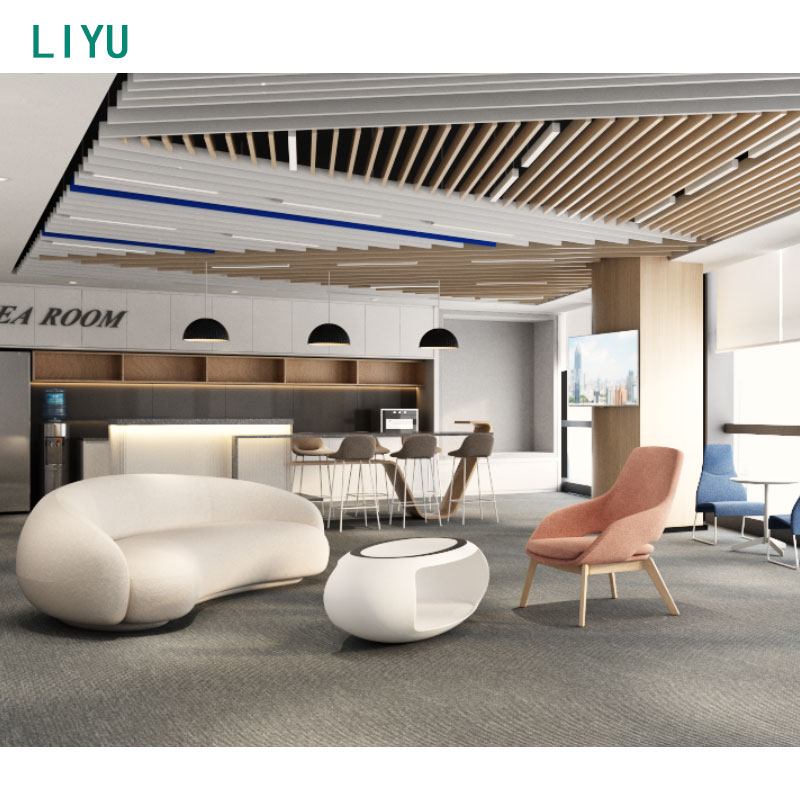
Ergonomics extend far beyond your primary desk chair. Contrast deep, plush seating with shallow, firm seating. Deep seats are ideal for resting and watching media. Shallow, firm seating is necessary for upright laptop work and easy standing. If you intend to work from the sofa, recommend specific seat heights. A height of 18 to 20 inches promotes optimal posture. High-density foam retains its shape and provides necessary lumbar support. Avoid overly soft cushions that cause you to sink, which strains your lower back during typing sessions.
Seat depth is a critical measurement. A depth of 21 to 22 inches allows most people to sit upright with their feet flat on the floor. Depths exceeding 24 inches force you to recline or tuck your legs up, which is terrible for laptop ergonomics. Test the foam density by pressing firmly into the cushion. It should push back immediately. If it leaves an indentation for more than a few seconds, the foam is too low-density and will degrade quickly. Look for foam with a density rating of at least 2.0 pounds per cubic foot for daily use.
Select textiles that offset the coldness of monitors and plastic office accessories. Contrast cozy, tactile fabrics with structured options. Bouclé, high-pile chenille, and textured weaves add visual warmth. Top-grain leather and performance linen strike a balance between executive professionalism and residential comfort. The goal is to create a cohesive look that feels intentional. Match the leg finish to your desk frame for a unified aesthetic. This attention to detail elevates a basic modern home workspace into a premium environment.
Lighting interacts heavily with your fabric choices. Velvet absorbs light and looks rich under warm ambient lighting, but it can look flat under harsh daylight. Leather reflects light and adds a subtle sheen to the room. Consider the primary lighting in your office when selecting materials. If you rely on bright, cool-toned LED panels, choose matte fabrics that will not create glare. Introduce sensory variety through accessories. A wool throw over a leather seat provides a necessary tactile contrast.
Assess fabric choices based on your daily wear and tear. You need materials that can withstand coffee spills and daily friction. The rub count of a fabric indicates its durability. Look for fabrics with a Wyzenbeek rating of at least 30,000 double rubs for heavy daily use.
| Material Type | Durability Rating | Maintenance Level | Best Use Case |
|---|---|---|---|
| Performance Fabric | High (50,000+ rubs) | Low (Easy to wipe clean) | High-traffic areas, eating at desk |
| Top-Grain Leather | Very High | Medium (Requires conditioning) | Executive aesthetic, professional calls |
| Velvet | Medium (20,000 rubs) | High (Attracts dust/hair) | Low-traffic reading nooks, visual warmth |
| Linen Blend | Medium (15,000 rubs) | Medium (Prone to wrinkling) | Casual, airy aesthetics |
Leather requires semi-annual conditioning to prevent cracking, especially if placed near a heating vent or in direct sunlight. Performance fabrics are treated with stain-resistant chemicals, making them ideal if you frequently drink coffee near your seating area. Avoid pure cotton or silk blends in a working environment; they stain easily and wear out quickly under daily friction.
Review the frame construction carefully. Kiln-dried hardwood frames resist warping and cracking over time. Engineered wood is lighter but may lack long-term durability under heavy use. Check the suspension systems. Sinuous springs offer firm support, while webbing can sag if not tensioned properly. Structural integrity is especially critical for sleeper variants. These frames endure mechanical stress every time they are deployed. Verify the weight capacity to ensure it safely accommodates multiple users or overnight guests.
A solid frame will not creak or wobble when you sit down heavily. Lift one front corner of the piece. If the other front leg does not lift off the ground immediately, the frame is twisting and lacks rigidity. Eight-way hand-tied springs are the gold standard for suspension, but sinuous wire springs are perfectly adequate for a secondary seating area. Avoid pieces that rely solely on elastic webbing, as they will stretch and sag within a few years.
Float the desk in the center of the room with the seating against the back wall. This layout offers excellent spatial efficiency. It creates a strong command position facing the door. Address cable management meticulously to avoid tripping hazards. Run cables under a rug or use floor cord covers. Consider monitor height carefully. You want to avoid obstructing the view from the seating area. This configuration works best in rectangular rooms where depth is generous.
When executing this layout, leave at least 36 inches between the back of your desk chair and the front of the seating. This allows you to roll back without hitting the furniture. If you use a large ultrawide monitor, ensure the back of the monitor is clean and cable-free, as it will be highly visible from the lounge area. Use a cable management tray mounted under the desk to hide power strips and power bricks.
Many home offices are carved out of a living room or basement family room. Use a low-profile design as a physical room divider. Place a slim writing desk or standing desk directly against its back. This setup defines the workspace without requiring permanent walls. It keeps the room open while establishing clear functional zones. Ensure the desk is slightly lower than the backrest for a clean visual line. This layout maximizes the utility of large, open-concept spaces.
This layout requires a piece with a finished, attractive back panel. Avoid models with exposed staples or cheap fabric on the rear. If you use a standing desk, account for the height difference when the desk is elevated. The desk will rise above the backrest, exposing your cables. Use a modesty panel or a cable spine to keep the wiring neat. Place a rug under the seating area to further define the boundary between the office and the living space.
Utilize space-saving, dual-purpose furniture for maximum efficiency. Mount a flip-down wall desk adjacent to or above a compact seating unit. This layout maximizes open floor space for physical movement. It creates active transition zones within a tiny footprint. When the desk is folded up, the room transforms entirely into a lounge. This is ideal for secondary bedrooms that serve as occasional offices. It requires secure wall mounting and careful measurement of deployment arcs.
You must anchor the wall desk directly into the wall studs. Drywall anchors will not support the weight of a desk and a computer. Measure the drop length of the desk carefully. It must clear the armrests of the seating below it. This layout works best with armless designs or very low track arms. When the desk is deployed, ensure you have enough room to place a chair without hitting the front of the seating unit.
Evaluate the use of L-shaped or modular corner pieces to utilize dead space. Corners are often wasted in small rooms. A small sectional can tuck neatly into a corner, freeing up the center floor. Integrate side tables and task lighting without expanding the footprint. Use wall-mounted sconces or clamp lamps. This approach turns an awkward alcove into a highly functional small office sofa zone. It provides a cozy enclave for deep reading or casual work.
Modular pieces allow you to build a configuration that fits your exact dimensions. You can use a corner chair and one armless chair to create a compact L-shape. Keep the backrests low to avoid overwhelming the corner. Install floating shelves above the seating to utilize the vertical space for book storage. This keeps the floor clear and draws the eye upward, making the ceiling feel higher.
Create psychological separation in a small room using strategic design elements. Use area rugs to anchor different zones. Apply different lighting temperatures to signal function. Use cool task lighting (4000K) at the desk for focus. Use warm ambient lighting (2700K) near the seating area for relaxation. Furniture orientation also plays a key role. Face the seating away from the desk if possible. This visual break helps you disconnect from work during your downtime.
A physical barrier, even a small one, reinforces the zoning. A low bookcase or a large potted plant placed between the desk and the seating area creates a distinct boundary. Paint can also define zones. Paint the wall behind the seating area a slightly darker shade to create a cozy alcove effect. These subtle cues train your brain to associate the desk with work and the seating area with rest, improving your overall work-from-home experience.
Buying a piece based solely on online dimensions is risky. You must account for the visual bulk in a confined space. A dark, bulky frame will make the room feel smaller than a light, elevated one. Overcrowding disrupts traffic flow and increases daily frustration. Mitigate this risk by taping out the exact dimensions on the floor. Include the width, depth, and fully extended depth. Walk around the taped area to ensure you have a comfortable 30-inch clearance everywhere.
Pay attention to the pinch points in your room. A pinch point occurs where two pieces of furniture are too close together, forcing you to turn sideways to pass. The most common pinch point is between the corner of the desk and the armrest of the seating. Maintain a minimum of 24 inches at these diagonal intersections. If you cannot achieve this clearance, you must select a smaller piece of furniture or change the layout.
Large upholstered furniture absorbs sound effectively. This is a major benefit for reducing echo on video calls. It also dampens audio from PC gaming or media playback. However, bulky furniture can block natural light if placed poorly near windows. Keep low-profile pieces under window sills. Avoid placing high-back designs where they cast large shadows across your desk. Balancing acoustics and lighting requires thoughtful placement relative to the room's natural features.
If your room suffers from severe echo, choose fabrics with a heavy pile, such as velvet or chenille. These materials absorb high-frequency sounds better than smooth leather. Position the seating opposite your speakers or monitors to catch the sound waves. To maximize natural light, place the seating on the wall perpendicular to the window rather than directly in front of it.
Analyze the cost-to-value ratio before making a purchase. High-quality sleeper mechanisms cost significantly more than static frames. Warn against budget options that compromise both sitting ergonomics and sleeping comfort. A cheap futon will degrade quickly under daily use. Invest in durable foam and a solid frame if the piece serves dual purposes. Spending slightly more upfront prevents the need for early replacement. It ensures the furniture actually supports your daily workflow.
Factor in the cost of delivery and assembly. Heavy sleeper units often require professional delivery. Measure your doorways and stairwells before ordering. A piece that cannot fit through your office door is a costly mistake. Look for modular designs that ship in boxes and assemble in the room if you have narrow hallways or tight corners.
Adding comfortable seating to a small office requires strict prioritization of your daily use cases. You must balance the desire for relaxation with the physical limits of the room. Start by measuring your clearances and applying the 60/40 rule. Define whether the primary function is sleep, work, or rest. Select the appropriate category, such as a loveseat or a single chair. Always verify the ergonomics for your specific needs.
A: Focus on loveseats under 60 inches wide or single chairs. This sizing helps maintain a strict 36-inch clearance around your desk and doorways, preventing the small room from feeling cramped.
A: Yes. A single chair with an ottoman offers excellent modularity and space-saving benefits. It is highly suitable for solo remote workers who need a comfortable reading spot without sacrificing floor space.
A: Standard architectural guidelines dictate a minimum of 30 inches for walking paths. You need 36 to 42 inches if a rolling office chair operates between the two pieces.
A: Wall-hugger sleepers or compact pull-outs are ideal. Always measure the fully extended depth to ensure the bed does not hit the desk or block the exit when deployed.
A: Use zoning techniques like area rugs and distinct lighting. You can use the back of a low-profile couch as a room divider. Prioritize vertical wall storage to free up essential floor space.
A: Integrate warm textiles like bouclé or velvet. Add ambient lighting and use residential-style furniture with exposed wooden legs to soften the harsh lines of monitors and metal desks.


