
Views: 0 Author: Site Editor Publish Time: 2026-07-07 Origin: Site


Chronic workplace discomfort in the lower extremities and lumbar spine often traces back to a single, easily quantifiable metric: improper seating geometry. When your seating baseline is incorrect, it compromises blood flow and accelerates spinal fatigue. This directly degrades workplace productivity through cognitive distraction and constant micro-pain signals. Employees shift constantly, losing focus as their bodies attempt to relieve localized pressure points.
Improper seating geometry overrides other premium ergonomic investments. You might own a high-end monitor or a split keyboard, but if your seating foundation is flawed, those tools become ineffective. A misaligned seat forces the rest of your body to compensate, negating the benefits of advanced desktop hardware. The entire kinetic chain depends on where your feet rest and how your pelvis is supported.
Evaluating your current seating setup requires calculating precise office chair measurements and identifying specific hardware specifications. This framework helps you achieve a clinically sound, highly productive task chair fit. Proper adjustment transforms a standard workstation into a tool that sustains physical health and mental focus throughout the workday.
The physiological baseline of neutral posture relies heavily on proper seating geometry. This geometry forms the absolute foundation of workspace ergonomics. Without a stable, correctly proportioned base, the upper body cannot maintain alignment. Success in ergonomic seating means achieving a posture where muscles expend minimal energy to hold the body upright. This neutral state prevents joint strain and allows for sustained focus.
A chair set too high creates severe vascular impact. It compresses the popliteal artery located directly behind the knee. This compression restricts blood flow to the lower legs. Users often experience numbness, tingling, and cold feet. Over time, this restricted circulation increases the risk of deep vein thrombosis. The body responds to this discomfort by prompting the user to slide forward, which ruins back support.
Conversely, a chair set too low forces deep flexion of the hip joint. This acute angle places excessive upward pressure on the ischial tuberosities, commonly known as the sit bones. The hamstrings tighten, and the knees rise above the hips. This position concentrates the upper body's weight onto a very small surface area, causing rapid tissue fatigue and localized pain in the glutes and thighs.
We see this constantly in field assessments. Workers complain of lower back pain, but the root cause is entirely in their legs. When the seat pan digs into the back of the calves, the user instinctively shifts their weight. They cross their legs or tuck their feet under the base. These compensation tactics twist the pelvis and create asymmetrical loading on the spinal discs.
Improper leg positioning triggers a destructive kinetic chain reaction. When knees sit higher than hips, the pelvis naturally tilts backward into a posterior tilt. This backward rotation flattens the natural lordotic curve of the lumbar spine. Without this inward curve, the lower back absorbs excessive compressive force. The spine loses its shock-absorbing capacity.
This pelvic misalignment forces the upper back to slouch forward. The shoulders round, and the head juts out to view the monitor. This forward head posture strains the cervical spine and overworks the trapezius muscles. What begins as a minor error in office chair height quickly manifests as severe neck tension and upper back pain.
You cannot fix a neck problem without first fixing the pelvic tilt. If the chair height forces the pelvis backward, no amount of monitor adjustment will save the cervical spine. The foundation dictates the structure above it. Proper leg alignment locks the pelvis into a neutral or slightly anterior tilt, which naturally stacks the vertebrae in their strongest configuration.
Chronic physical discomfort from poor seating geometry directly correlates with reduced focus. When the body experiences micro-pain signals, the brain diverts attention away from work tasks to process the discomfort. This constant interruption fragments concentration. Error rates increase as users rush through tasks to take a break from sitting.
Rapid mental fatigue sets in long before the workday ends. The energy expended to maintain an awkward posture drains cognitive reserves. Proper seating geometry eliminates these physical distractions. It allows workers to sustain deep concentration and maintain high productivity levels without the cognitive drain of managing physical pain.
Consider the mechanics of typing while managing shoulder pain. The brain splits its processing power. Half goes to the spreadsheet, and half goes to the burning sensation in the trapezius. Correcting the seat height removes the physical stressor. The user regains full cognitive capacity for their actual work.
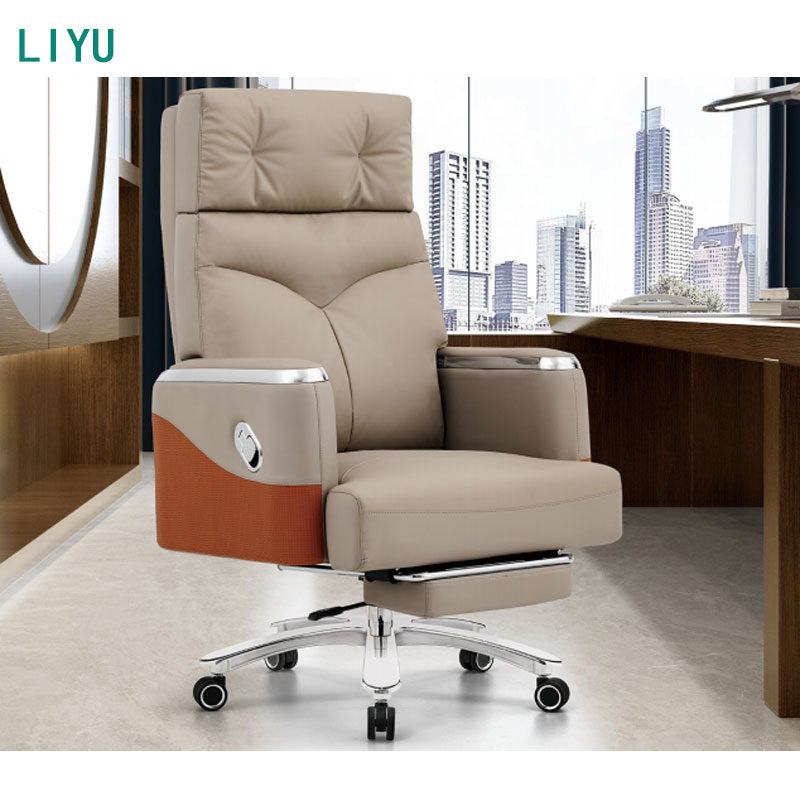
Establishing industry-standard metrics for ergonomic seating requires looking at features-to-outcomes. A perfect fit is not about plush cushioning. It is about precise geometric alignment that supports the body's natural structure. Evaluating these dimensions ensures that the hardware actively contributes to physical well-being rather than working against it.
The traditional ergonomic guideline advocated for a 90-90-90 rule, meaning 90-degree angles at the hips, knees, and ankles. However, modern ergonomic consensus favors a slightly open hip angle of 100 to 110 degrees. This open angle reduces pressure on the spinal discs and facilitates better breathing. The knees should rest slightly below the hips to encourage this posture.
Full, unweighted plantar contact with the floor is mandatory. The soles of the feet must rest flat, bearing some of the leg's weight. A downward thigh slope promotes an anterior pelvic tilt. This forward tilt naturally sustains the lumbar lordosis without requiring constant muscular effort. It locks the lower spine into a stable, healthy curve.
| Hip Angle | Pelvic Position | Spinal Impact | Vascular Impact |
|---|---|---|---|
| Less than 90° (Knees high) | Posterior Tilt (Tucked under) | Flattened lumbar curve, high disc pressure | High pressure on sit bones, restricted hip flow |
| Exactly 90° | Neutral | Moderate support, requires core engagement | Standard baseline, acceptable for short durations |
| 100° to 110° (Knees low) | Slight Anterior Tilt | Natural lordosis maintained, low disc pressure | Optimal blood flow, minimal popliteal compression |
Seat height must allow the forearms to rest parallel to the desk surface. This is known as the 90-degree elbow rule. If the seat is too low, users must elevate their shoulders, causing shrugging and neck tension. If the seat is too high, users depress their shoulder blades or extend their wrists awkwardly to type. Both scenarios lead to repetitive strain injuries.
Adjustable armrests act as physical bridges. They transfer the weight of the arms off the trapezius and neck muscles. Once the ideal seat height is set, armrests should be positioned just under the elbows. They must not push the shoulders upward or block the chair from sliding close to the desk.
Many users make the mistake of anchoring their arms to the desk edge. This creates a pivot point at the wrist, leading to carpal tunnel syndrome. The armrest should support the forearm, allowing the hands to float over the keyboard. This requires the chair height and armrest height to work in perfect synchronization with the work surface.
Static posture is a significant workplace hazard. The human body requires movement to pump blood and hydrate spinal discs. An adjustable mechanism should facilitate micro-movements. Slight angle shifts throughout the workday promote vascular circulation and prevent muscle stiffness.
A quality chair allows users to easily alter their position. Raising or lowering the seat by a fraction of an inch every few hours shifts the load-bearing points on the sit bones. This dynamic seating approach combats static fatigue and keeps the musculoskeletal system active and healthy.
Adjusting seating hardware requires a standardized, repeatable protocol to avoid common user errors. Many users adjust their chairs based on the desk height first, which compromises leg posture. Following a strict sequence ensures that the foundation is set correctly before addressing upper body alignment.
If your heels lift off the floor during step two, the chair is too high. Lower it until your feet are completely flat. If you cannot achieve the two-finger gap in step three, you must adjust the seat depth. Do not compromise the leg baseline to fix an armrest issue. The legs dictate the foundation.
Matching your popliteal height to a chair's technical specifications ensures a proper fit. Popliteal height is the distance from the floor to the crease behind your knee while seated with feet flat. Measure this distance while wearing your typical work shoes to account for heel thickness.
Compare this measurement to the chair's stated seat height range. If your popliteal height is 18 inches, the chair's cylinder must easily accommodate that height without bottoming out or maxing out. A chair with a range of 16 to 21 inches will provide optimal adjustability for this measurement.
| User Height (Approximate) | Popliteal Height (With Shoes) | Recommended Cylinder Stroke Range |
|---|---|---|
| 5'0" to 5'4" | 14" to 16" | 14.5" to 18.5" (Low Profile) |
| 5'5" to 6'0" | 16" to 19" | 16.0" to 21.0" (Standard) |
| 6'1" to 6'6" | 19" to 22" | 18.0" to 23.0" (Extended/Tall) |
The most common failure point in ergonomic setups is the conflict between optimal chair height and fixed desk height. You cannot evaluate a chair in isolation. The desk acts as an unyielding variable that often forces users to compromise their ideal seating geometry.
Standard fixed-height desks are typically 29 to 30 inches tall. This height is designed for users who are over six feet tall. When shorter users adjust their chair for proper leg comfort, the desk is often too high for comfortable typing. They must shrug their shoulders to reach the keyboard.
If they raise the chair to meet the desk height, their feet dangle. This dangling causes immense pressure on the back of the thighs and forces the pelvis into a posterior tilt. The user is trapped between saving their shoulders or saving their lower back.
Never sacrifice leg posture for desk height. If the desk cannot move, you must alter the floor. Elevating the chair to achieve the correct arm angle is acceptable only if you immediately introduce a solid surface beneath the feet to restore the 100-110 degree hip angle.
Ergonomic footrests are not optional accessories; they are necessary mechanical bridges. When a chair must be raised to meet a fixed desk, a footrest restores the critical floor contact. It allows the user to maintain the open hip angle while keeping their arms at the correct height for typing.
Evaluate footrests based on specific criteria. They must offer angle adjustability to accommodate natural ankle flexion. Non-slip surfaces are required to prevent the feet from sliding forward. The footrest must have sufficient minimum width to allow for a natural stance and a height range that precisely bridges the gap between the floor and the user's feet.
Visual ergonomics can completely override a perfectly calibrated seat height. If a monitor is placed too low, the user will hunch forward to read the screen. This forward flexion ruins spinal alignment, regardless of how well the chair supports the pelvis.
If the monitor is too high, the user must crane their neck upward, causing cervical compression. The top third of the monitor screen should sit at eye level. Adjusting the monitor height independently of the desk and chair ensures that visual demands do not destroy postural integrity.
Knowing what technical specifications to look for helps you shortlist ergonomic chairs effectively. The hardware dictates the chair's capability to support your specific body type. Ignoring these specifications often leads to purchasing a chair that cannot achieve the necessary biomechanical alignment.
The standard pneumatic cylinder stroke typically offers 4 to 5 inches of travel. This yields a standard seat height range of roughly 16 to 21 inches from the floor. This range accommodates average-height users but fails for those on the extreme ends of the height spectrum.
Petite users require a low-profile cylinder that drops down to 14 or 15 inches. Taller users need an extended-height cylinder that reaches 22 inches or more. Drafting chairs utilize specialized heavy-duty cylinders to reach counter-height desks. Always verify the cylinder stroke matches your calculated popliteal height before purchasing.
A waterfall edge is a mandatory hardware feature. This contoured, downward-sloping front edge mitigates the risks of slight height miscalculations. It diffuses pressure across the back of the thighs rather than creating a sharp pinch point that restricts blood flow.
Seat depth adjustment, often controlled by seat sliders, works in tandem with adjustable chair height. If the seat pan is too deep, the user cannot sit back against the lumbar support without the front edge compressing their calves. Independent depth adjustment ensures the two-finger clearance rule is met regardless of leg length.
Pneumatic cylinders can fail over time, resulting in a slow-leak sinking effect. The chair gradually loses height throughout the day, forcing the user to constantly readjust. This failure is often tied to exceeding the cylinder's weight capacity or using low-quality hardware.
Check weight ratings carefully. Prioritize chairs equipped with Class 4 gas lift certifications. Class 4 cylinders feature thicker steel walls and handle higher weight capacities with greater stability. They ensure the chair maintains its set height under load, providing a reliable foundation for years of use.
A: Do not rely on total body height charts. Measure your popliteal height—the distance from the floor to the crease behind your knee while seated with feet flat. Your chair's seat height should match this measurement, allowing your feet to rest flat while your knees sit slightly below your hips.
A: Symptoms include dangling feet, pressure behind the knees, and numbness or tingling in the lower legs. You may also find yourself constantly sliding forward in the seat to reach the floor, which pulls your back away from the lumbar support and causes shoulder strain.
A: Yes. A chair set too low forces acute knee and hip flexion. This deep angle increases patellofemoral pressure behind the kneecap and leads to severe hip flexor tightness. It also concentrates your body weight onto a smaller area of your sit bones.
A: Yes. Your feet must be flat and fully supported by the floor or a stable, adjustable footrest. This contact is essential to distribute upper body weight properly, stabilize the pelvis, and prevent excessive pressure on the back of your thighs.
A: Chair height dictates your leg posture, while desk height dictates your arm posture. If adjusting your chair for proper leg alignment makes the desk too high for your arms, do not change the chair height. Instead, modify the desk height or use a footrest to elevate the floor.
A: The typical industry standard for adjustable office chairs ranges from 16 to 21 inches from the floor to the highest point of the seat cushion. This 5-inch stroke accommodates most average-height adults, though petite or tall users require specialized cylinders.
A: Armrests should be adjusted only after the seat height is perfectly set for your legs. They should sit level with the desk surface and just under your elbows to support the weight of your arms, preventing shoulder shrugging and neck tension.


