Views: 0 Author: Site Editor Publish Time: 2026-06-21 Origin: Site


A desk may look modern, durable, and perfectly matched with the office interior, but if the height is wrong, comfort can disappear quickly. Many people blame their chair, monitor, or long working hours when they feel shoulder tension, wrist discomfort, or back fatigue. In many cases, the real issue starts with one simple question: what is the standard height for an office desk?
The standard height for an office desk is usually around 28 to 30 inches, or about 71 to 76 cm. This range is widely used in traditional office workstations because it fits many average adult users. However, “standard” does not always mean “ideal.” The right desk height also depends on user height, chair adjustment, keyboard position, monitor setup, and the overall workstation layout.
In this post, we’ll discuss what is the standard height for an office desk, why this standard height may not suit every user, and how to judge whether a desk height is truly ergonomic. You’ll also learn how desk height works with chairs, monitor placement, legroom, and Office Partition systems in modern office environments.

The standard height for an office desk is generally 28 to 30 inches from the floor to the top of the desktop. In metric measurements, this equals about 71 to 76 cm. Many fixed-height desks, computer desks, executive desks, and office workstations are designed within this range.
This height became common because it works reasonably well for many adults when paired with an adjustable office chair. It also provides enough space under the desktop for leg movement and supports common office tasks such as typing, writing, reading, and computer work.
However, this number should be treated as a general reference rather than a strict rule. A 30-inch desk may feel comfortable for a taller person but too high for a shorter person. A 28-inch desk may suit many standard users, but it may feel too low for taller employees or users with longer legs.
For office desk manufacturers, this means desk height should not be designed only around one standard number. A good office desk should support ergonomic comfort, stable structure, proper leg clearance, and compatibility with different workspace layouts, including workstations with Office Partition systems.
The standard office desk height is suitable for many users, but not everyone. People have different body heights, arm lengths, sitting habits, and working needs. A desk that works well for one user may feel uncomfortable for another.
The correct office desk height should allow the user to sit naturally. The shoulders should stay relaxed, the elbows should remain close to a 90-degree angle, and the wrists should stay straight while typing. If the desk is too high, the user may raise the shoulders and bend the wrists upward. If the desk is too low, the user may lean forward or place the arms in an awkward position.
Several factors affect whether a desk height is suitable:
● User height
● Chair seat height
● Armrest position
● Keyboard and mouse placement
● Monitor height
● Desktop thickness
● Leg clearance
● Work habits
● Fixed or height-adjustable desk design
● Workstation layout with or without Office Partition
This is why the best desk height should be judged by ergonomic fit, not only by standard dimensions.
The real standard for an office desk is not only 28 to 30 inches. The more important standard is whether the desk supports a comfortable working posture.
When typing, your forearms should be roughly parallel to the floor. Your elbows should stay close to your body at about a 90-degree angle. Your shoulders should feel relaxed, not lifted. Your wrists should stay neutral rather than bending upward or downward.
A comfortable desk height should support:
● Relaxed shoulders
● Elbows near 90 degrees
● Straight wrists
● Feet flat on the floor or supported by a footrest
● Enough legroom under the desk
● Comfortable monitor viewing height
● Easy access to keyboard and mouse
If the desktop is too high, the user may need to raise the chair. This may solve the arm position problem, but it can create another issue: the feet may no longer rest flat on the floor. In that case, a footrest may be needed.
If the desktop is too low, taller users may lean forward or feel limited under the desk. This can reduce comfort during long working hours.
The following table gives a practical reference for matching user height with desk height. It is only a general guide because chair height, posture, and keyboard position can change the final ergonomic result.
User Height | Suggested Desk Height | Practical Notes |
Under 5'4" / 163 cm | 26–28 inches | A standard 30-inch desk may feel too high; an adjustable chair and footrest may help |
5'4"–5'10" / 163–178 cm | 28–30 inches | Standard office desk height often works well |
5'10"–6'2" / 178–188 cm | 29–31 inches | Slightly higher desk or chair adjustment may improve comfort |
Above 6'2" / 188 cm | 31 inches or adjustable | A height-adjustable desk is often more suitable |
This table shows why the answer to “what is the standard height for an office desk” cannot be limited to one fixed number. The standard range is useful, but the best height depends on the person using the desk.
A fixed-height office desk is simple, stable, and cost-effective. It is widely used in offices, schools, meeting rooms, administrative areas, and home workspaces. For many users, a fixed desk around 28 to 30 inches provides enough comfort for daily office tasks.
However, fixed-height desks have one main limitation: they cannot adapt to different users. If a company uses the same desk height for every employee, some users may need to adjust their chair, add a footrest, or use a keyboard tray to achieve a better posture.
A height-adjustable desk offers more flexibility. It allows users to adjust the desktop to a more suitable sitting height. Some models also support standing work, which is useful for modern ergonomic offices and home workstations.
Desk Type | Typical Height | Best For | Main Advantage |
Standard fixed office desk | 28–30 inches | General office work | Simple, stable, cost-effective |
Lower fixed desk | 26–28 inches | Shorter users or compact workstations | Better seated comfort for some users |
Height-adjustable desk | Varies by model | Shared workstations and ergonomic offices | Fits different users and work styles |
Standing desk | Based on standing elbow height | Sit-stand work | Supports posture changes |
For offices with Office Partition systems, both fixed-height desks and height-adjustable desks can be used. The key is to make sure the desk, partition, chair, monitor, and cable management system work together as one complete workstation.
You do not need professional tools to check whether your desk height is suitable. You can evaluate it by observing your posture while sitting at the desk.
First, check your shoulders. If your shoulders lift when typing, the desk or keyboard is probably too high. Second, check your elbows. They should stay close to your body and form a comfortable angle near 90 degrees. Third, check your wrists. They should remain straight instead of bending sharply.
Next, check your feet. If your chair has to be raised so high that your feet cannot touch the floor, you may need a footrest. Finally, check your monitor. Desk height and monitor height should work together so your neck can stay neutral.
A correct office desk height should allow you to work naturally without forcing your body to adjust too much.
A desk that is too high may cause shoulder tension, wrist pressure, arm fatigue, and neck discomfort. Users may feel that they are constantly lifting their arms while typing. Over time, this can make long work sessions uncomfortable.
A desk that is too low may cause forward leaning, rounded shoulders, poor monitor angle, and limited leg comfort. Taller users may feel especially restricted if there is not enough space under the desk.
Another common issue is chair and desk mismatch. Even a standard office desk can feel uncomfortable if the chair cannot be adjusted properly. Armrests may also prevent the user from sitting close enough to the desktop.
In workstations with Office Partition panels, poor layout can make these problems worse. If the workstation is too narrow, users may not have enough space to adjust their chair, keyboard, or monitor. If cable routes are poorly planned, devices may be placed in uncomfortable positions.
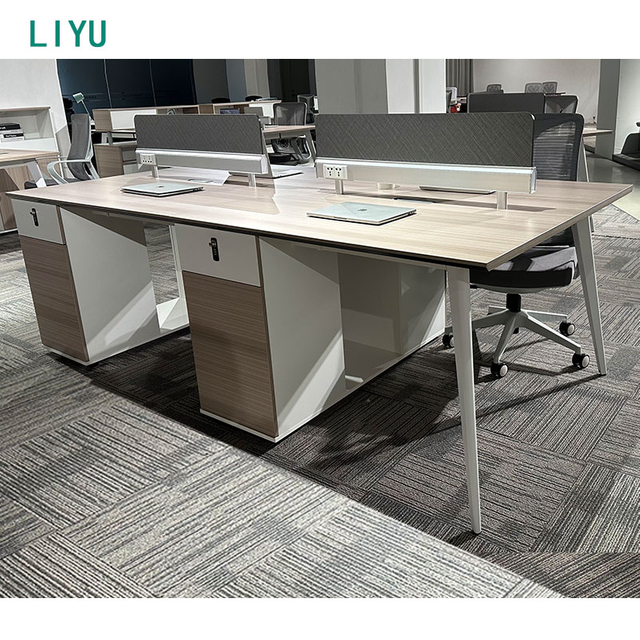
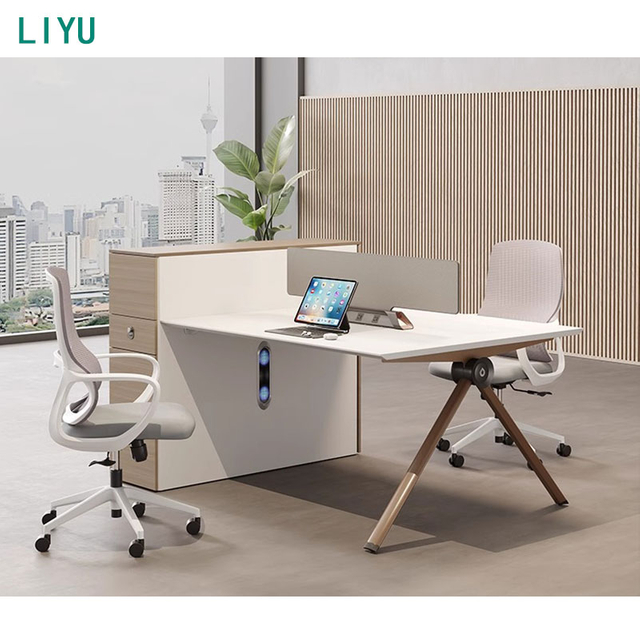
An Office Partition does not usually change the actual desk height, but it can affect how comfortable the workstation feels. In many modern offices, partitions are used to divide open spaces into individual work areas. They help improve privacy, reduce visual distractions, and organize the workplace.
When a desk is installed with an Office Partition, several details should be planned carefully:
● The desk should provide enough legroom.
● The partition should not block comfortable monitor placement.
● Cable holes and trays should match the desk position.
● The chair should move smoothly within the workstation.
● Storage cabinets should not reduce sitting comfort.
● Height-adjustable desks should have enough clearance from panels.
This is especially important for office furniture buyers and project planners. A workstation is not just a desk and a panel. It is a complete working system where desk height, privacy, cable management, storage, and user movement all affect comfort.
In a home office, the best desk height depends on the main user. A standard 28 to 30-inch office desk works for many adults, but a height-adjustable desk may be better for long-term remote work. Home users should also consider chair height, monitor position, room size, and storage needs.
If the home office uses a small Office Partition screen or privacy divider, make sure it does not block light, movement, or cable access.
In corporate offices, standard desk height is common because companies often need consistent furniture dimensions across many workstations. A fixed-height desk is practical for large office projects, especially when paired with adjustable chairs.
For open-plan offices, Office Partition systems can be combined with standard desks to create more organized workstations. For shared desks or flexible offices, height-adjustable desks may provide better adaptability.
Meeting room tables are usually close to standard office desk height. Since users do not sit there all day, exact desk height customization may be less important. However, the table should still support writing, laptop use, and comfortable discussion.
Executive desks often have larger dimensions, thicker desktops, and built-in storage. When choosing an executive office desk, remember that desktop thickness can affect the actual working height. A desk that looks premium should still support comfortable typing and writing.
Before choosing an office desk, do not only look at the style or desktop size. Check the height specification carefully. Measure from the floor to the top of the desktop surface.
Also consider desktop thickness and under-desk clearance. A thick desktop or built-in drawer may reduce legroom. If the desk is part of a workstation with Office Partition panels, check whether the desk size, partition height, and cable system match properly.
Important details to check include:
● Desk height
● Desktop thickness
● Leg clearance
● Chair compatibility
● Keyboard and mouse position
● Monitor placement
● Cable management
● Frame stability
● Storage design
● Compatibility with Office Partition systems
● Need for height adjustment
For B2B buyers, product consistency is also important. Desks used in bulk office projects should have stable dimensions, reliable materials, easy assembly, and strong packaging.
As a professional office desk manufacturer, we understand that desk height is more than a simple measurement. It affects posture, comfort, productivity, and the overall workstation experience.
We can support different office furniture needs, including standard fixed-height desks, height-adjustable desks, workstation desks, executive desks, and desk solutions designed for Office Partition layouts. Different customers may need different desktop sizes, frame colors, materials, cable management options, and packaging solutions.
For office projects, distributors, furniture brands, and commercial buyers, working with a professional manufacturer helps ensure stable quality, flexible customization, and products that fit real working environments.
So, what is the standard height for an office desk? In most cases, the standard height is about 28 to 30 inches, or 71 to 76 cm. This range is common in traditional office furniture and works for many adult users.
However, the best office desk height is not always the standard height. The right height should support relaxed shoulders, elbows near 90 degrees, straight wrists, enough legroom, and comfortable monitor placement. User height, chair adjustment, work style, and workstation layout all matter.
In modern offices, desk height should also work together with cable management, storage, monitor setup, and Office Partition design. A well-designed office desk should do more than meet a standard number. It should help users work comfortably and efficiently every day.
The standard height for an office desk is usually around 28 to 30 inches, or about 71 to 76 cm. This height works for many adult users, but it may not be ideal for everyone.
A 30-inch office desk may be comfortable for taller users, but it can feel too high for shorter users. The correct height should allow relaxed shoulders, elbows near 90 degrees, and straight wrists while typing.
Your desk is likely the right height if your shoulders stay relaxed, your elbows remain near keyboard height, your wrists stay straight, and your feet are supported while sitting.
An Office Partition does not usually change the desk height itself, but it can affect workstation layout, cable routing, monitor placement, privacy, and available movement space. Desk and partition design should be planned together.
A height-adjustable desk is often better for shared workstations, long-hour computer users, and people with different body heights. A standard fixed-height desk is still practical when paired with a suitable chair and ergonomic setup.