
Views: 0 Author: Site Editor Publish Time: 2026-09-03 Origin: Site


A mismatched desk height drives daily musculoskeletal discomfort. Most buyers purchase office furniture without verifying if the dimensions align with their physical biomechanics. When determining exactly how high is a standard office desk, the answer reveals a systemic design flaw in modern workspaces. The manufacturing industry relies on a fixed height that historically accommodates a 6-foot-tall user. This leaves a massive portion of the workforce with inadequate, pain-inducing setups that drain energy and productivity. Moving beyond generic measurements requires evaluating personal ergonomic requirements. You must decide whether a traditional fixed-height surface or a dynamic, adjustable solution is the necessary investment for long-term health and focus. We will break down exact centimeter measurements, show you how to test your own optimal height, and outline the hardware requirements needed to build a workspace that actually supports your body.
Most commercial furniture follows a rigid set of dimensions dictated by mass production efficiencies rather than human anatomy. The industry standard for a fixed-height office desk typically falls between 71 cm and 76 cm from the floor to the top of the work surface. This narrow window simplifies manufacturing processes, tooling setups, and standardized sheet material cuts. However, it ignores the vast diversity in human height and proportions.
Regional variations further complicate workspace planning. Manufacturing standards shift depending on geography and local ergonomic guidelines. You will find that imported furniture often feels drastically different from locally sourced equipment, even if both carry a standard label.
| Region | Standard Desk Height Range (cm) | Primary Design Driver |
|---|---|---|
| Europe & UK | 71 cm - 73 cm | Strict EU workplace safety directives favoring a slightly lower baseline. |
| North America | 73 cm - 76 cm | Historical anthropometric data based on mid-20th-century averages. |
| Australia | 75 cm - 80 cm | Local manufacturing trends favoring taller workstation profiles. |
| Asia | 70 cm - 72 cm | Regional demographic averages dictating a lower ergonomic baseline. |
The origin of these measurements dates back to mid-20th-century anthropometric data. Early industrial designers based workspace dimensions on the average male military recruit. They created a baseline that predominantly favors a user profile between 178 cm and 188 cm. Because standard desks are optimized for taller individuals, anyone shorter operates at a distinct disadvantage.
A 160 cm user sitting at a 75 cm desk is forced to adapt their body to the furniture. This leads to compromised posture, elevated shoulders, and restricted blood flow in the legs. The historical reliance on outdated data means the modern office is misaligned with the actual demographics of today's workforce. Installers frequently see users attempting to fix this by raising their chairs to maximum height, which only creates new problems for lower body circulation.
Achieving a pain-free workspace requires abandoning the concept of a universal standard and focusing on individual biomechanics. The foundation of this approach is the 90-degree rule. This biomechanical baseline dictates that when seated, your feet must rest flat on the floor with your thighs parallel to the ground. Your knees should bend at a 90-degree angle. Simultaneously, your shoulders must remain relaxed, and your elbows should rest at a 90- to 100-degree angle, completely flush with the desk surface. If you have to reach up to type or hunch down to see your monitor, the desk height is incorrect.
To find your exact measurement, you must perform the physical elbow test. Do not rely on guessing or average charts alone. Follow these exact steps to capture your personal data:
Calculating ideal seated and standing heights reveals how far off the standard 73 cm desk truly is for most people. The table below illustrates approximate height correlations, demonstrating the necessity for variable desk heights.
| User Height (cm) | Approximate Seated Desk Height (cm) | Approximate Standing Desk Height (cm) |
|---|---|---|
| 152 cm | 62 cm | 79 cm |
| 160 cm | 64 cm | 86 cm |
| 170 cm | 68 cm | 95 cm |
| 178 cm | 73 cm | 109 cm |
| 188 cm | 77 cm | 118 cm |
| 193 cm | 80 cm | 122 cm |
While online desk height calculators provide a helpful baseline estimation, manual measurement remains superior. Torso-to-leg ratios vary wildly among individuals of the exact same height. A person with a long torso and shorter legs will require a different desk height than someone with long legs and a shorter torso. The physical elbow test accounts for these anatomical differences, ensuring absolute precision.
When you ignore the 90-degree rule, the body compensates in destructive ways. If your desk is too high, you will anchor your wrists on the hard edge of the work surface to stabilize your hands. This contact stress compresses the ulnar nerve, leading to numbness in the fingers. Simultaneously, typing at an upward angle forces your wrists into extension, which inflames the tendons and dramatically increases the risk of carpal tunnel syndrome. To counter the high surface, users often shrug their shoulders, keeping the trapezius muscles in a state of constant contraction. By the end of the workday, this manifests as severe neck stiffness and tension headaches. Conversely, if a desk is too low, users hunch forward, rounding their lumbar spine and overloading the spinal discs. The physical elbow test prevents all of these compensatory postures by aligning the hardware to your natural resting state.
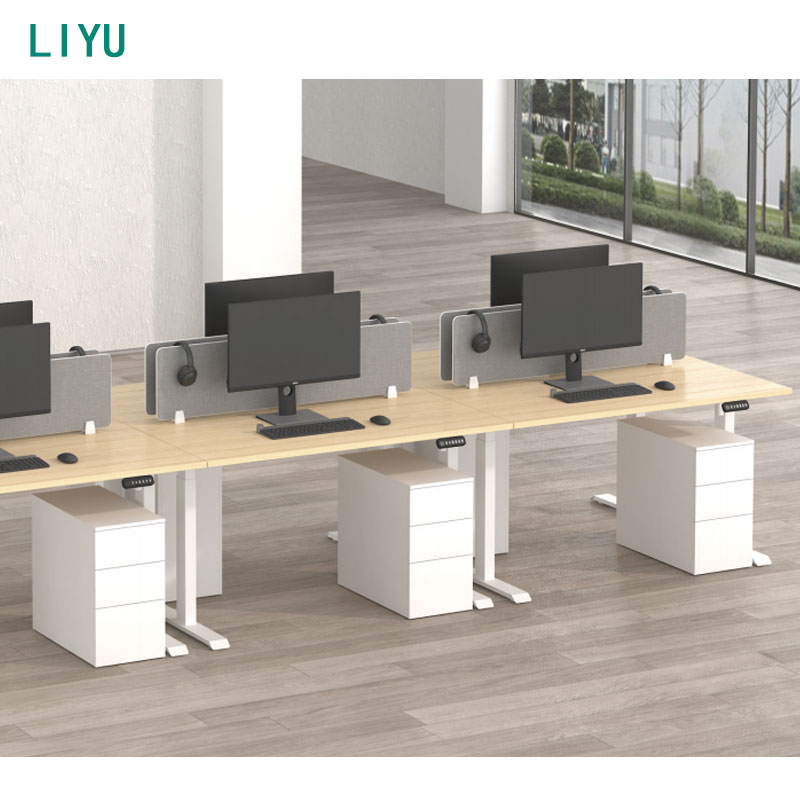
Once you understand your optimal measurements, the next step is selecting the hardware that can accommodate them. The market is divided into static and dynamic solutions, each with distinct operational realities. You must match the desk type to your daily workflow and physical dimensions.
The fixed-height standard desk remains the most common fixture in commercial spaces. These desks offer a lower initial purchase price and high stability since there are no moving parts. They also provide vast aesthetic options ranging from glass tops to heavy steel frames. However, they offer zero adaptability. If you fall outside the 6-foot average, a fixed desk requires secondary ergonomic investments. You will need an adjustable keyboard tray to lower the typing surface, a drafting cylinder for your chair to raise your seat height, and a heavy-duty footrest to support your dangling legs. These workarounds often clutter the workspace and fail to provide the ergonomic support required for long hours of focused work.
To bypass these complex workarounds, many professionals transition to a dynamic setup. Investing in a height adjustable desk allows you to bypass the standard entirely. Available in manual crank, pneumatic, or electric motorized configurations, these desks let you hit exact centimeter requirements for both sitting and standing. This dynamic movement prevents lower back pain, improves circulation, and boosts energy levels throughout the workday. By pressing a memory preset button, a 160 cm user can drop the desk to 64 cm for focused typing, then raise it to 95 cm for standing tasks, maintaining perfect alignment in both postures.
For leadership roles or client-facing environments, aesthetics and functionality must merge. An adjustable executive desk addresses the buyer looking for premium materials like solid wood veneers, expansive L-shape designs, and integrated modesty panels without sacrificing ergonomic adjustability. The trade-offs for these premium models include a higher overall weight and the necessity for robust dual or quad-motor systems to lift the heavy desktop smoothly. These desks conceal their mechanical components within thick, architectural leg shrouds, providing the health benefits of a sit-stand desk while maintaining a commanding presence in a private office.
| Desk Category | Adaptability | Best Use Case | Hardware Requirements |
|---|---|---|---|
| Fixed-Height Standard | None (Static at 71-76 cm) | Users exactly 178-188 cm tall or short-term touchdown spaces. | Requires footrests and keyboard trays for shorter users. |
| Manual Adjustable | High (Crank or Pneumatic) | Workspaces without accessible power outlets. | Requires physical effort to transition heights. |
| Electric Adjustable | Maximum (Millimeter precision) | Daily heavy use requiring frequent posture changes. | Requires nearby power and strict cable management. |
Not all sit-stand frames are engineered equally. Selecting a high-quality ergonomic office desk requires evaluating specific mechanical dimensions to ensure the hardware matches your physical requirements. You cannot judge a desk solely by its desktop finish; the steel frame underneath dictates its performance.
The stroke range, which dictates the minimum and maximum height, is the most critical specification. A desk that only lowers to 71 cm offers absolutely no seated ergonomic benefit to shorter users. It merely functions as a standing desk that returns to a flawed standard height. You must look for three-stage column frames that cover a comprehensive range, typically from 60 cm up to 130 cm. This ensures the desk can drop low enough for a 152 cm user to sit comfortably and rise high enough for a 193 cm user to stand without slouching. Two-stage columns, by contrast, have a limited stroke range and often bottom out at 71 cm, rendering them useless for seated ergonomics.
Stability and the wobble factor become apparent at maximum extension. A desk that feels rock-solid at 73 cm might sway violently at 115 cm. Frame weight, column design, and the inclusion of a crossbar dictate stability. Three-stage columns feature overlapping steel tubes that provide better rigidity than two-stage columns. Heavier steel feet lower the center of gravity, preventing front-to-back rocking when you type aggressively. Testing the lateral sway (side-to-side) and longitudinal deflection (front-to-back) at the desk's highest setting is necessary before finalizing a purchase.
The internal mechanics of the lifting columns dictate how the desk performs under load. High-quality frames utilize precision spindle gears and internal glides made from self-lubricating materials like Delrin. These glides eliminate metal-on-metal friction, ensuring the columns extend silently and smoothly. Cheaper frames use thin plastic glides that wear down quickly, introducing excessive play between the steel tubes. This wear is the primary cause of desk wobble over time. Furthermore, examine the steel gauge used in the foot brackets and desktop supports. Heavy-duty frames use thick, stamped steel that resists torsion when the desk is loaded unevenly. If you plan to mount a heavy dual-monitor arm on the back edge of the desk, a lightweight frame will twist, causing the desktop to bow and the lifting columns to bind.
| Motor Type | Average Weight Capacity | Lifting Speed | Ideal Setup |
|---|---|---|---|
| Single Motor | 50 kg - 70 kg | 25 mm per second | Laptops, single monitors, lightweight laminate desktops. |
| Dual Motor | 100 kg - 125 kg | 35 mm - 40 mm per second | Multiple monitors, heavy monitor arms, solid wood desktops. |
| Quad Motor | 150 kg+ | 40 mm per second | Massive L-shaped executive desks with heavy storage attachments. |
Finally, verify BIFMA compliance. The Business and Institutional Furniture Manufacturers Association (BIFMA) sets rigorous testing standards for commercial furniture. A BIFMA certification serves as a trust signal, confirming the desk has survived thousands of lifting cycles, extreme weight load tests, and rigorous stability assessments. It guarantees the product meets inclusive ergonomic height ranges designed for a diverse workforce, ensuring your investment will withstand heavy daily use.
Upgrading your workspace geometry introduces new logistical challenges that must be managed to ensure a smooth transition and protect your hardware. Moving from a static environment to a dynamic one requires foresight during the installation phase.
The chair and footrest dependency is a major factor if you opt for a standard fixed desk. Users under 175 cm cannot simply raise their chair to reach a 75 cm desk without their feet dangling. Dangling feet compress the popliteal artery behind the knee, leading to numbness, swelling, and deep vein thrombosis risks. The mandatory mitigation strategy is purchasing a highly adjustable ergonomic chair paired with a dedicated, angled footrest. The footrest simulates a higher floor, allowing you to maintain the 90-degree ergonomic rule while sitting at a desk designed for someone taller. This setup restricts leg movement and locks the user into a static position.
Cable management constraints become an operational risk when utilizing sit-stand desks. Moving from a 62 cm seated height to a 115 cm standing height stretches every wire connected to your hardware. If cables are too short or tightly zip-tied to the frame, raising the desk will rip monitors off their stands or tear ports out of your computer. Follow this routing protocol to protect your equipment:
Beyond cable management, you must evaluate the spatial clearance of your entire office footprint. Variable heights mean the desk occupies different volumetric spaces throughout the day. Ensure you account for overhead clearance. Check that monitors will not smash into floating shelves, wall cabinets, or framed artwork when the desk is fully raised. We frequently see users damage expensive monitors because they forgot to measure the maximum height clearance. Likewise, verify under-desk clearance. Pedestal drawers, filing cabinets, or CPU holders placed underneath must not obstruct the desk from lowering to its minimum seated height. If a cabinet blocks the desk from dropping below 70 cm, you defeat the entire purpose of buying an adjustable frame. Monitor arm swing radius must also be calculated to ensure screens do not scrape against adjacent walls or partition panels during height transitions.
A: The standard office desk height ranges from 71 cm to 76 cm. Globally, 73 cm is the most common average, though Australian and North American standards can reach up to 80 cm depending on the manufacturer.
A: Physical indicators include raised shoulders while typing, wrist pain from upward extension, and the inability to rest your feet flat on the floor with your knees at a 90-degree angle.
A: Stand up straight, wear your normal work shoes, relax your shoulders, and bend your elbows to 90 degrees. Measure the distance from the floor to the bottom of your elbow to find your exact standing height.
A: A standard fixed desk cannot be used for standing unless you add a desktop converter. However, converters often raise the seated height further, making a full desk replacement the superior ergonomic choice.
A: A user who is 165 cm tall requires an approximate seated desk height of 64 cm to 65 cm and a standing desk height of roughly 90 cm to 95 cm, depending on their torso-to-leg ratio.
A: At their lowest settings, adjustable desks are highly stable. At maximum height, they can experience slight wobble. Selecting a frame with three-stage columns and a heavy steel base mitigates this instability.
A: Yes. Users under 175 cm almost always require a footrest to maintain the 90-degree ergonomic rule at a standard 73 cm desk, as they must raise their chair to reach the keyboard comfortably.


