
Views: 0 Author: Site Editor Publish Time: 2026-09-06 Origin: Site


Improper workstation ergonomics carry severe physiological costs. Musculoskeletal disorders and repetitive strain injuries drain productivity daily. Employees suffer when forced into poorly designed workspaces. The core problem lies in standard commercial furniture sizing. The industry standard 28-to-30-inch fixed desk height only fits users between 5'8" and 6'0". This forces the vast majority of the workforce into compromised, injury-prone postures.
We must shift toward anthropometric-based workspace design. You need a technical framework to calculate exact ergonomic requirements. This guide evaluates solutions and mitigates implementation risks in modern office environments. We will explore how high should office desk be to ensure long-term health and efficiency. Proper alignment prevents chronic pain and structural damage. It optimizes human performance across the entire workday.
The 29-inch desk standard originated from outdated typewriter tables designed in the mid-20th century. During that era, workers needed higher surfaces to read paper documents and operate mechanical keys. Modern keyboards and mice sit directly on top of the work surface, adding an extra inch or two to the functional working height. Anthropometric data shows the average user requires a seated desk height closer to 25 to 27.5 inches. Manufacturers standardized the 29-inch height for manufacturing efficiency, ignoring human biomechanics. This disconnect leaves shorter individuals at a severe mechanical disadvantage. They must adapt their bodies to the furniture rather than adapting the furniture to their bodies.
Working at a desk that is too high forces immediate postural compensation. You involuntarily shrug your shoulders to reach the keyboard. This constant elevation fatigues the upper trapezius and levator scapulae muscles rapidly. Blood flow restricts, causing localized ischemia and deep muscle aches. Wrists extend unnaturally to clear the desk edge. This sustained extension compresses the median nerve as it passes through the carpal tunnel. It directly accelerates the onset of repetitive strain injuries. Chronic neck tension follows as the upper back muscles lock up to stabilize the elevated arms.
Conversely, a desk positioned too low creates a different set of hazards. Users instinctively lean forward to reach their equipment. This triggers severe lumbar flexion and flattens the natural lordotic curve of the lower back. Spinal disc pressure increases by up to 150% compared to a neutral standing position. Forward head posture develops as you crane your neck downward to view monitors. This shifts the weight of your head off its center of gravity, compressing the cervical spine heavily. Lower-body circulation restricts as the torso collapses inward. Digestion slows down, and breathing becomes shallow due to chest compression.
Neutral posture serves as the foundational success metric for any workstation setup. Your elbows must form a 90-to-100-degree angle while typing. Wrists must remain completely flat and hover slightly above the keyboard without resting heavily on the desk edge. Knees and hips require a precise 90-to-110-degree angle to maintain pelvic neutrality. Feet must plant firmly on the floor or a stable footrest to support the lower back. Shoulders must hang loose and relaxed at your sides. Any deviation from these metrics indicates an improperly sized workstation. You must adjust the hardware until this neutral baseline is achieved.
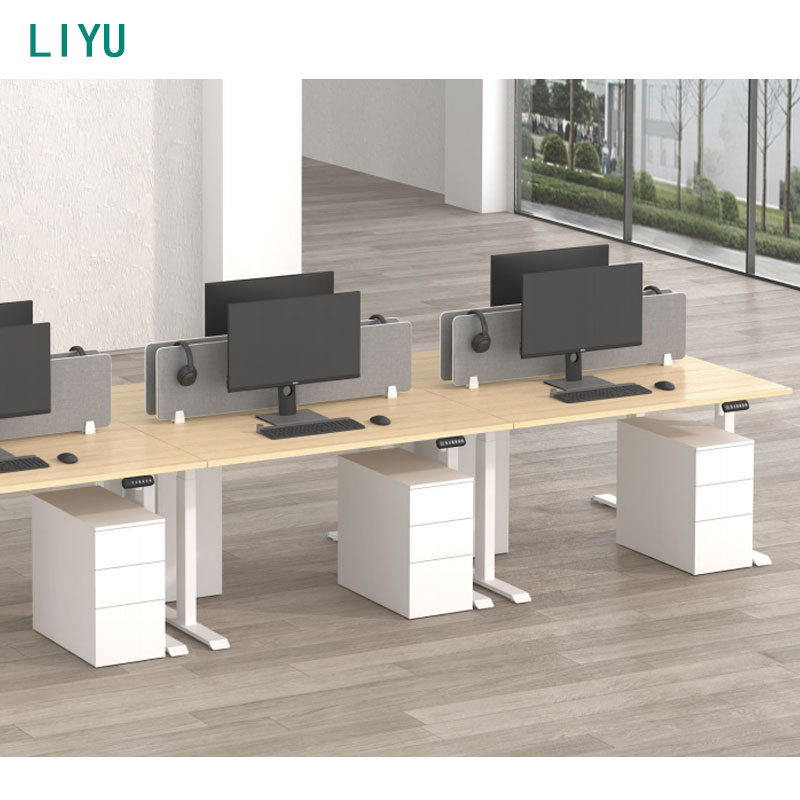
Seated work requires a highly specific technical range. The target range falls between 25 and 27.5 inches for most adults. You calculate this by measuring popliteal height first. This is the vertical distance from the floor to the crease behind your knee. You then add your elbow rest height (the distance from the seat pan to your elbow) to this number. This combined metric provides your absolute baseline for seated typing. For example, a 5'4" user typically has a popliteal height of 16 inches and an elbow rest height of 8 inches, requiring a 24-inch desk. Standard 29-inch desks force a massive 5-inch deficit for this user.
Standing work demands a broader adjustment spectrum. The required range spans from 35 to 47 inches depending on the user's stature. Footwear alters this calculation significantly and must be factored into the final height. Dress shoes or work boots add up to an inch to your standing height. Anti-fatigue mats add another half-inch of compression height. You must calculate your standing height while wearing your typical work shoes and standing on your actual floor surface. Measure from the floor to your resting elbow. Subtract one inch to find your optimal standing desk height, ensuring your forearms slope slightly downward toward the keyboard.
Generic height charts fail to account for unique torso-to-leg ratios. Two people who are 5'10" may require completely different desk heights based on their limb lengths. You need a verifiable measurement protocol to find your exact specifications.
Comprehensive assessment tools eliminate guesswork from workspace design. The Cornell University Ergonomics Web guidelines provide precise mathematical models for workstation geometry. They simultaneously calculate ideal heights for your desk, chair, and monitor arm based on your exact stature. Industry standards establish baseline measurements for modern procurement. You must reference these standards when evaluating any new workspace hardware to ensure your setup meets rigorous biomechanical requirements.
| Standard | Region | Minimum Height | Maximum Height | Target Population |
|---|---|---|---|---|
| BIFMA G1-2013 | North America | 22.6 inches | 48.7 inches | 5th percentile female to 95th percentile male |
| EN 527-1:2011 | Europe | 25.6 inches (650mm) | 49.2 inches (1250mm) | General European workforce |
| AS/NZS 4442 | Australia/New Zealand | 24.0 inches (610mm) | 35.4 inches (900mm) | Regional specific anthropometrics |
Modifying a fixed-height desk is a common stop-gap approach when replacing furniture is not an option. You can install an articulating keyboard tray to lower the typing surface to the required 24 or 25 inches. You can deploy heavy-duty footrests to elevate the floor for shorter users. These modifications help achieve neutral posture temporarily. However, they lack scalability across large workforces. User compliance remains notoriously low because adjusting these peripherals is cumbersome. Keyboard trays often push the user too far away from the primary work surface. This causes secondary reach-related injuries when users stretch to grab documents or use their mouse.
Non-electric options offer a mechanical alternative for dynamic movement. Crank-operated desks lower the initial acquisition cost and require minimal maintenance. Pneumatic cylinders use gas springs, requiring no power outlets. You can deploy them anywhere in a room without worrying about cable management to a wall socket. However, these systems present distinct trade-offs. Transition times are significantly slower on crank models. Weight capacities remain highly limited on pneumatic versions. Gas cylinders often struggle to lift heavy multi-monitor setups, capping out at 35 to 50 pounds of payload. Users quickly abandon the sit-stand routine if the physical effort to lift the desk is too high.
Electric systems represent the industry standard for dynamic workstations. They offer effortless transitions at the push of a button, encouraging frequent movement. Single-motor frames are cost-effective but suffer higher failure rates. They use a hex rod to drive the secondary leg, which often twists and binds under uneven load distribution. Dual-motor systems provide superior lifting power by placing an independent motor in each leg. They deliver a smoother stroke, faster travel speed, and longer mechanical lifespan. A high-quality height adjustable desk relies on synchronized dual motors to maintain absolute stability under heavy loads.
Executive environments demand specific aesthetic standards. Leaders require ergonomics without sacrificing authoritative design. An adjustable executive desk balances these competing needs perfectly. Modesty panels, solid wood tops, and L-shape configurations add massive weight to the frame. A solid walnut top alone can weigh over 100 pounds. Heavy-duty lifting columns become a strict mechanical necessity. These desks utilize upgraded planetary gears and high-torque motors. They conceal the lifting mechanisms within premium materials like wood veneers or brushed steel. This ensures the workspace looks professional while functioning ergonomically.
The adjustment range dictates the usability of the desk across a diverse workforce. You must understand the mechanical difference between two-stage and three-stage lifting columns. Two-stage columns consist of an outer tube and an inner tube. They only adjust down to about 27 or 28 inches. This fails shorter users completely. A three-stage column uses three nesting tubes, yielding a 22 to 47-inch range. This specification is absolutely mandatory for corporate environments. It covers 90 percent of the U.S. population. It accommodates everyone from the 5th percentile female to the 95th percentile male without requiring secondary footrests.
| Feature | Two-Stage Column | Three-Stage Column |
|---|---|---|
| Height Range | 27" to 46" | 22" to 47" |
| Population Coverage | Approx. 40% (Taller users) | Approx. 90% (Universal fit) |
| Stability at Max Height | Moderate (Prone to sway) | High (Increased tube overlap) |
| Mechanical Complexity | Lower (Fewer moving parts) | Higher (Requires precision glides) |
Desk sway destroys concentration and damages sensitive monitor mounts. You must evaluate the physics of the frame before procurement. Heavy 14-gauge steel frames lower the center of gravity, anchoring the desk to the floor. Longer foot designs provide a wider base of support to prevent front-to-back rocking. Look for a wedge design or a structural crossbar between the columns. These elements mitigate lateral wobble when the desk is raised above 40 inches. Precision-milled acetal glides between the column tubes reduce internal friction and play. An ergonomic office desk must remain completely rigid during heavy typing or drafting work.
Lifting capacity determines the longevity of the desk motors. You need a minimum dynamic capacity of 200 to 300 lbs. Multi-monitor setups, heavy monitor arms, and thick desktop materials add significant weight. CPU mounts hanging under the desk strain weak motors on one side of the frame. Exceeding the weight limit causes the motors to burn out prematurely. Check the duty cycle rating on the specification sheet. A standard 10% duty cycle means the motor can run continuously for 2 minutes before requiring an 18-minute cooldown period. Industrial-grade motors handle constant adjustments without overheating or triggering thermal overload sensors.
Modern desks come loaded with electronics. You must differentiate between essential features and unnecessary fluff. Programmable memory presets are essential. They allow users to return to their exact ergonomic heights instantly without holding a button and guessing. Anti-collision gyroscopes provide critical safety. If the desk hits a filing cabinet or a chair armrest while lowering, the six-axis gyroscope senses the tilt and instantly reverses direction to prevent damage. Conversely, integrated Bluetooth speakers offer no ergonomic value. Proprietary fitness apps rarely see long-term adoption. Focus your budget on mechanical reliability, heavy steel, and strong motors instead of digital gimmicks.
Treating the desk as a standalone fix guarantees failure. Ergonomics requires a complete ecosystem approach. An adjustable desk fails if paired with a rigid, non-adjustable chair. Monitors must move independently of the desk surface. When you stand, your spine elongates, changing your eye level relative to your elbows. You must push your monitors up 1 to 2 inches when transitioning to a standing position. This requires VESA-mounted gas-spring arms for proper focal depth and height adjustment. Your keyboard tray must articulate to maintain neutral wrists. Every piece of hardware must calibrate synchronously. If one element remains static, the entire ergonomic setup collapses.
Sit-stand transitions introduce severe structural risks to your IT equipment. Cables experience massive tension as the desk rises to 47 inches. Short cables will rip monitors off the desk, snap USB headers, or destroy motherboard ports. High-capacity cable management trays are non-negotiable. You must route all peripheral cables through a central flexible spine or drag chain. Power cables must extend a minimum of 10 feet from the wall outlet. Leave a "service loop" of slack at the top of the cable run. This slack prevents hardware damage during maximum elevation. Test the full stroke length visually before finalizing your zip ties.
Standing all day is just as damaging as sitting all day. Standing fatigue causes blood to pool in the lower extremities, leading to varicose veins. It compresses the joints in the lower back, knees, and feet, triggering plantar fasciitis. You must implement a strict sit-stand transition protocol. Follow the 20-8-2 rule: sit for 20 minutes, stand for 8 minutes, and move or walk for 2 minutes. Use high-density polyurethane anti-fatigue mats to reduce joint impact while standing. Educate users on the dangers of over-standing. Movement is the actual goal, not just locking the desk in a standing position permanently.
Desk height is a dynamic, individualized metric. It depends entirely on resting elbow height and neutral spinal posture. The old 29-inch standard is a biomechanical hazard for most workers. You must prioritize adaptability over uniformity. Proper height calculation prevents chronic injuries, reduces absenteeism, and sustains daily output. The right hardware empowers users to control their physical environment effectively.
Decision-makers must update their procurement logic immediately. Disqualify any desk with a starting height above 28 inches for seated work. Prioritize three-stage, dual-motor frames exclusively. Ensure a minimum adjustment range of 22 to 47 inches. This guarantees universal coverage for your entire workforce. Mechanical stability and heavy lifting capacity must outweigh aesthetic considerations.
Take the following actions to correct your workspace alignment:
A: The industry standard dictates a 28 to 30-inch height. This dimension only suits users between 5'8" and 6'0". It remains ergonomically flawed for the majority of the workforce. Shorter users experience shoulder strain, while taller users suffer lumbar compression.
A: Sit in your chair with your feet flat on the floor. Relax your shoulders completely and let your arms hang naturally. Bend your elbows to a 90-degree angle. Measure the vertical distance from the floor to the underside of your elbow. This measurement dictates your exact seated desk height.
A: Your desk surface should sit exactly at or 1 to 2 inches below your resting elbow height. This slight drop prevents involuntary shoulder shrugging. It eliminates trapezius strain while keeping your wrists in a neutral, flat position during typing.
A: Yes, a 30-inch desk is significantly too tall for someone who is 5'5". This height forces unnatural wrist extension and shoulder elevation. You must install an articulating keyboard tray or upgrade to a height-adjustable frame to achieve proper alignment.
A: Ergonomic setup follows a strict sequence. You must adjust your chair height first so your feet rest flat on the floor and your thighs are parallel to the ground. Once your lower body is stabilized, you adjust the desk height to match your seated elbow level.
A: The optimal adjustment range spans from 22 to 47 inches. This specific stroke length covers 90% of the population. It aligns with strict BIFMA and European ergonomic standards, accommodating everyone from the 5th percentile female to the 95th percentile male.


