
Views: 0 Author: Site Editor Publish Time: 2026-06-03 Origin: Site


Open workspaces look amazing on architectural blueprints. They maximize expensive real estate and promote a modern corporate aesthetic. However, the everyday reality often tells a different story. These open layouts frequently suffer from severe noise pollution. Employees face constant interruptions and struggle to find privacy. You need a practical solution to fix this open-plan paradox. Selecting the right office workstation offers much more than just a place to sit. It acts as an essential architectural tool. It actively controls acoustics, defines distinct team neighborhoods, and restores a "heads-down" focus for your staff. This comprehensive guide provides facility managers, procurement leads, and business owners an evidence-based framework. You will learn exactly how to evaluate, shortlist, and procure layouts. We will help you find the perfect balance between daily collaboration and deep, uninterrupted work.
Employee workflows—not just floorplan dimensions—must dictate workstation geometry (e.g., benching vs. L-shaped).
Acoustic control and visual privacy are critical; panel heights and materials directly impact productivity and neurodivergent inclusivity.
Enterprise-grade office workstation desk solutions require built-in technology integration (cable raceways, power distribution).
Future-proofing demands modular workstation furniture that scales or reconfigures without relying on discontinued proprietary parts.
Material compliance (e.g., E0/E1 emission standards) is a non-negotiable baseline for commercial procurement.
Modern businesses often misunderstand the true cost of poorly designed workspaces. A pure open plan frequently generates widespread workforce complaints. Employees constantly battle visual distractions. They lack a private sanctuary for deep focus. This environment often creates "fishbowl" anxiety. People feel constantly watched, which drains their mental energy. You must address this "voice of the employee" reality. Ignoring these concerns leads directly to reduced output and higher turnover.
Beyond basic comfort, your furniture choices impact health and ESG (Environmental, Social, and Governance) goals. Physical barriers between desks mitigate the transmission of airborne illnesses. Illness prevention keeps your team healthy and reduces absent days. Furthermore, structured workspaces support neurodiversity. Neurodivergent employees often struggle in loud, unpredictable environments. Offering sensory control through acoustic panels helps everyone thrive. It proves your commitment to an inclusive workplace.
Your ultimate goal is clear. We do not suggest reverting to isolated, closed-door rooms. Instead, you should create activity-based micro-environments. An open office workstation should act as a semi-private hub. It must exist seamlessly within a broader collaborative ecosystem. This balanced approach gives employees choices. They can focus deeply when necessary, then step out to collaborate.
Generic furniture catalogs rarely solve specific workflow problems. You must align your configurations to actual team behaviors. Different departments require fundamentally different tools. We break down the primary solution categories below.
Benching systems represent the most open form of shared seating. They feature high density and minimal physical barriers. Users typically sit face-to-face across a shared center spine. This agile setup excels in highly dynamic environments. It fits high-turnover teams perfectly. Hot-desking programs rely heavily on this format. Collaborative roles, such as sales and marketing, thrive here. They need quick, constant verbal communication over total silence.
This layout offers the perfect middle ground. The island cluster groups four to eight employees together. It wraps the perimeter in half-walls to contain departmental noise. This setup serves project-based teams exceptionally well. These teams require internal communication but external isolation. Engineers or product designers often prefer this sweet spot. They can roll their chairs together for a quick sync. Meanwhile, the outer acoustic panels protect them from broader office chatter.
Deep focus demands larger, more protective footprints. The traditional cubicle desk arranged in an L-shape or U-shape maximizes corner space. It provides very clear psychological boundaries. These setups accommodate dual-monitor configurations effortlessly. They also offer extensive under-desk storage. Accounting, human resources, and customer support roles depend on this geometry. They handle sensitive documents and require prolonged, uninterrupted concentration.
Unpredictable headcount trajectories require flexible solutions. High-growth startups cannot afford rigid furniture. Leg and beam systems offer incredible adaptability. You can expand them seamlessly from a simple 2-person pod to a massive 6-person hub. You use shared components to build outward. This prevents you from discarding old desks when hiring new talent.
Workstation Type | Best For | Key Characteristics | Density Level |
|---|---|---|---|
Benching Systems | Sales, Marketing, Hot-Desking | Shared center spine, minimal barriers | High |
Island Clusters | Project-based Teams | Grouped seating, perimeter half-walls | Medium |
L-Shaped / U-Shaped | HR, Accounting, Support | Corner optimization, deep storage | Low |
Modular Systems | High-growth Startups | Scalable legs/beams, shared components | Variable |
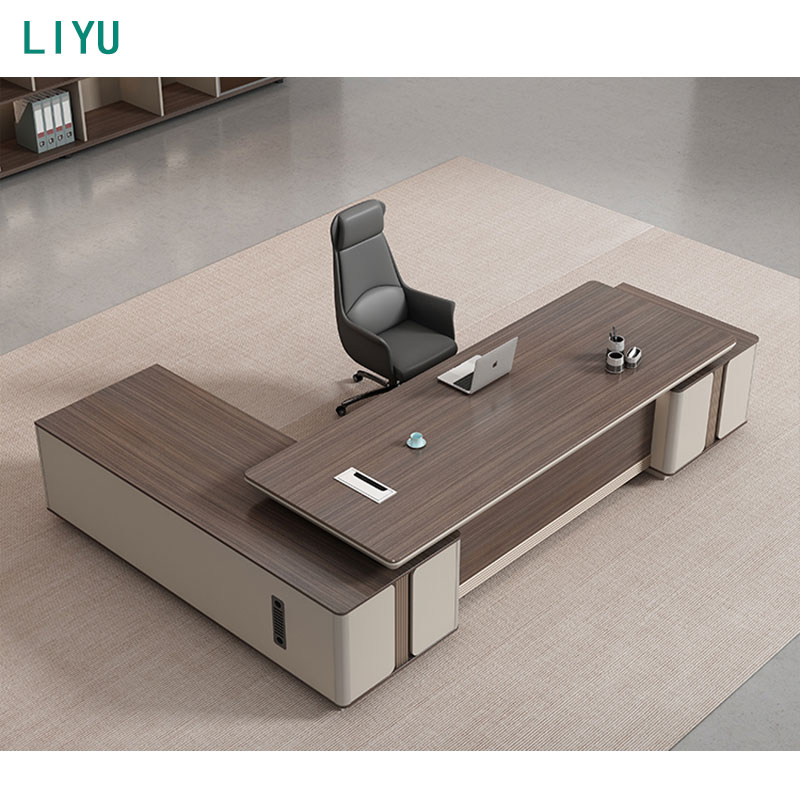
B2B buyers must scrutinize hard metrics. Do not rely solely on visual aesthetics. The underlying engineering determines how well the furniture performs. Use this framework to evaluate your shortlist.
Privacy & Acoustic Performance (Panel Heights):
Panel dimensions dictate the user experience. Low panels typically measure 36 to 42 inches. They maintain clear lines of sight across the room. They define boundaries but do not block sound. Medium panels stand around 48 to 53 inches. This is the gold standard for open plans. They block the seated line-of-sight. They balance natural light distribution with individual focus. High panels exceed 60 inches. They provide maximum acoustic absorption. However, they require integrated lighting solutions. We strongly advise mixing glass top-stackers on high panels. This prevents the area from feeling dark and claustrophobic.
Technology Integration & Cable Management:
You must avoid consumer-grade desks. Commercial environments require heavy power loads. Evaluate the built-in power troughs. Look for robust daisy-chain electrical capabilities. Daisy-chaining allows one floor core to power multiple desks. This minimizes expensive concrete drilling. Ensure data port accessibility is clean and intuitive. Cables should never drape over the desk edge.
Material Durability & Compliance:
Commercial furniture takes a daily beating. Look for MFC, MDF, or commercial-grade melamine surfaces. They must feature high-impact edge banding, usually 2mm thick. This prevents chipping from chair arms. You must also verify environmental safety certifications. E0 or E1 formaldehyde emission standards represent a non-negotiable baseline. Ensure the metal frame gauges are thick enough to prevent wobbling under heavy monitor loads.
Ergonomic Adaptability:
Modern workplaces prioritize movement. Assess whether the architecture supports height-adjustable mechanisms. Sit-stand desks are incredibly popular. However, they must integrate smoothly. The lifting mechanism should not compromise the privacy panel structure. The desktop should move independently. The surrounding acoustic walls must remain stationary to protect cables and maintain visual uniformity.
Field expertise often reveals blind spots in space planning. Many companies buy excellent furniture but fail during the rollout. You must understand how people physically move through your building.
Do not evaluate dimensions in a vacuum. A 60-inch desk requires much more than 60 inches of floor space.
Factor in "push-out space." Employees need at least 36 inches behind the desk to roll their chair back comfortably.
Calculate primary and secondary circulation aisles. Primary aisles should exceed 48 inches. Narrow aisles cause daily bottlenecks and stress.
Group workstations by departmental noise levels. Do not mix loud and quiet roles.
Keep high-volume teams physically buffered from high-focus teams. Sales should sit far away from Engineering.
Use strategic buffers. Place soft seating areas or tall storage banks between departments. They act as excellent acoustic breakers.
Remember building constraints. Your furniture layout is ultimately constrained by the electrical grid.
Align clusters carefully. Workstations must align exactly with floor boxes or wall power poles.
Involve IT early. They must verify data drop locations before you finalize the floorplan.
Guiding the final purchasing decision requires strict discipline. You must weigh immediate savings against long-term operational flexibility. Proper procurement ensures your workspace adapts smoothly as your business scales.
You will face the debate between new and used furniture. Used or refurbished options save considerable budget initially. However, we encourage transparently weighing the trade-offs. Used inventory typically sacrifices the manufacturer warranty. You lose the ability to select customized finishes to match corporate branding. Most importantly, you forfeit exact modular matching. When your team expands two years later, finding identical used parts becomes nearly impossible. New furniture guarantees a consistent aesthetic and reliable expansion paths.
Vendor capabilities matter as much as the physical product. Shortlist suppliers based on their comprehensive service offerings. Ask for layout design support. The best vendors provide professional CAD space planning. Check their lead times carefully. Clarify their Minimum Order Quantities (MOQs). Finally, secure details about post-installation warranty support. A strong vendor will replace defective parts quickly without disrupting your daily operations.
Choosing an office workstation remains a highly strategic decision. Your choices directly influence employee retention, daily health, and overall output. Generic desks cannot solve acoustic problems. You must treat furniture as adaptable architecture. Panel heights, material compliance, and cable management all require careful scrutiny.
Your immediate next step is clear. Conduct a thorough internal workflow audit. Assess the exact ratio of focus tasks versus collaborative tasks for each department. Map out these zones on your floorplan. Then, request a professional space-planning CAD mockup from your vendor. Verify the traffic flow and power alignments on paper. Complete these steps before committing to a final purchase order.
A: Focus on 48"-53" for optimal seated privacy. This height effectively blocks distractions while you sit. It utilizes acoustic fabric to absorb noise. Importantly, it maintains standing visibility across the room, ensuring natural light flows freely throughout the space.
A: Yes, provided you purchase a non-discontinued, standardized system from a reputable commercial manufacturer. High-quality modular workstation furniture uses shared beams and universal brackets. This design lets you scale from two seats to eight seats seamlessly as your team grows.
A: The best layouts utilize shared center beams. These beams feature integrated power raceways hidden beneath the surface. You run your main power through umbilical cord drops from the ceiling or floor. This method keeps the desktop entirely clean and prevents tripping hazards.
A: The difference lies in physical boundaries and footprint density. A cubicle desk uses tall panels on three sides for maximum privacy and deep focus. A benching system removes these walls. It places workers side-by-side on long shared tables to maximize density and communication.


