
Views: 0 Author: Site Editor Publish Time: 2026-08-14 Origin: Site


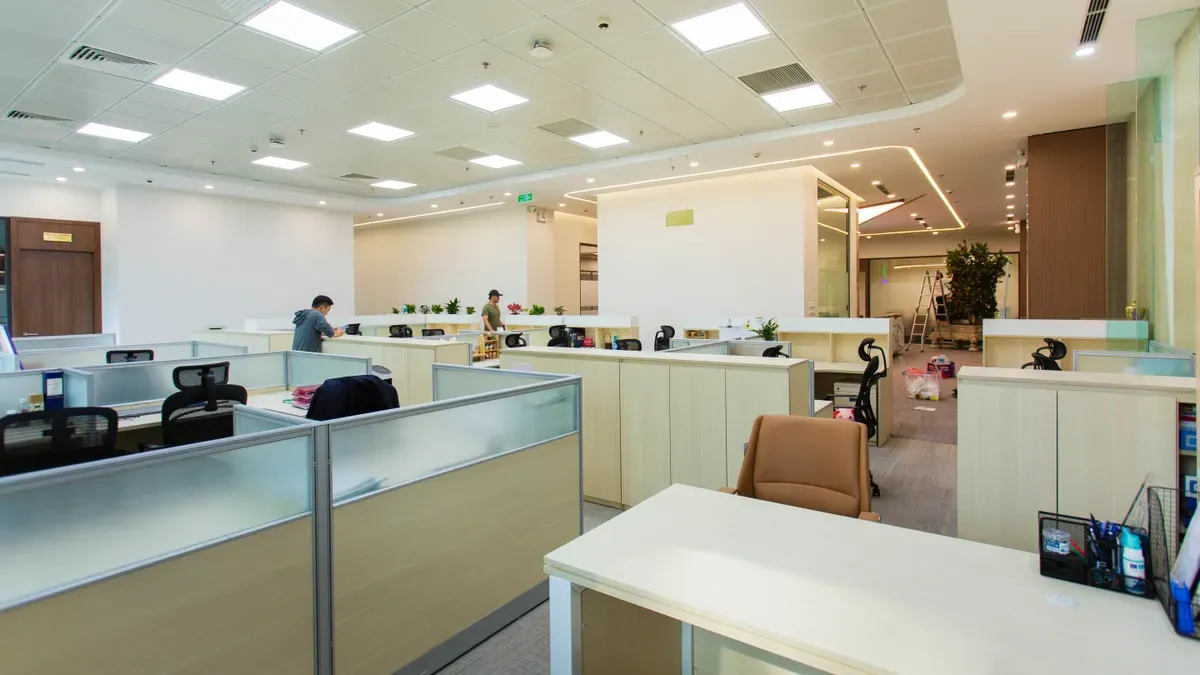
Large enterprise offices keep track of furniture by combining centralized tracking software with physical asset tags like barcodes, QR codes, and RFID tags. Facility managers attach these durable tags to every desk, chair, and cabinet. Scanning a tag instantly updates the central system with location and usage data.
Manual spreadsheets fail when you manage thousands of assets across multi-story buildings and hybrid workspaces. Employees move chairs between floors daily. Teams reconfigure open layouts without logging changes. Spreadsheet tracking creates ghost assets, inaccurate audit reports, and unnecessary replacement costs. Automated management platforms solve this issue. They grant you complete operational visibility across your entire facility portfolio.
Big offices track furniture by attaching physical barcode or RFID tags to every item.
Central management software replaces manual spreadsheets to eliminate lost assets and reduce replacement costs.
Smart desk sensors track real-time motion to reveal underused areas and optimize office layouts.
Handheld scanners help facility teams perform regular physical audits to keep digital inventory records accurate.
Software catalogs surplus furniture in storage to prevent companies from buying unnecessary duplicate items.
Digital tracking aligns physical floor inventory with financial ledgers for easier tax audits and depreciation reporting.
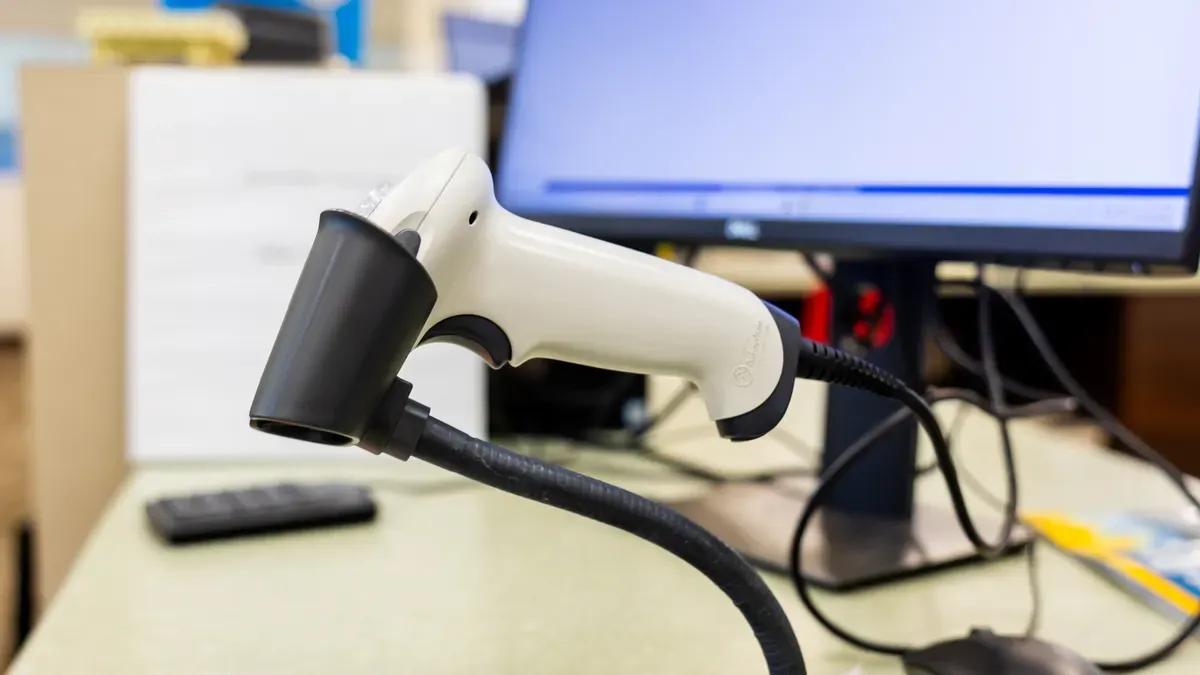
Managing thousands of office items requires modern tracking hardware. Physical asset tags connect physical workstations, chairs, and meeting tables directly to your central database. Selecting the right physical tag technology streamlines inventory management across your entire organization.
Barcodes and QR codes provide simple entry points for physical asset management. Facility teams apply these labels directly to workstations, chairs, and filing cabinets.
Barcode tags cost between $0.05 and $0.50 per tag. Implementing a full barcode tracking program for 10,000 assets costs between $36,000 and $82,000 total. This total includes tag materials ($500-$5,000), scanning hardware ($500-$2,000), deployment labor ($30,000-$60,000), and central software ($5,000-$15,000). QR codes offer extra savings because smartphone cameras read them without specialized hardware expense. A single QR code label stores up to 4,296 alphanumeric characters.
Best practices keep your scanning operations reliable:
Standardize tag sizes across all furniture. Ensure barcode labels measure at least 1.5 by 0.5 inches. Make QR codes at least 1 by 1 inch.
Print codes using dark-on-light color schemes with high resolution. Use ladder-style barcodes with vertical bars for easier scanning.
Include a clear quiet-zone margin around QR codes. Print a human-readable asset identification number on each label as a backup.
Apply durable, scratch-resistant, UV-resistant label materials with strong adhesives tested on your furniture surfaces.
Facility staff use handheld barcode scanners or smartphone cameras to capture item details. Scanning an item number instantly pushes real-time location updates into central software. Staff can update asset records right from the office floor during routine checks.
Radio Frequency Identification (RFID) systems eliminate line-of-sight requirements. RFID tags transmit data wirelessly through packaging and around physical obstacles.
Passive RFID tags operate without internal batteries and offer a cost-effective bulk scanning choice. UHF passive RFID tags read data across distances up to 30 feet. Handheld RFID scanners read hundreds of tags per second. This speed allows facility teams to audit entire floor inventories 5 to 10 times faster than line-of-sight barcode scanning. Total deployment costs for 10,000 assets range from $37,000 to $140,000. This includes tags ($0.50 to $15.00 each), hardware ($2,000-$15,000), labor ($20,000-$45,000), and software ($10,000-$30,000).
Active RFID tags contain internal battery power sources. These high-value tags transmit signals across distances up to 300+ feet.
Technology | Cost Range (10,000 Assets) | Scanning Distance | Line-of-Sight Needed? | Audit Speed |
|---|---|---|---|---|
Barcode | $36,000 - $82,000 | Contact / Close range | Yes | Scans one item at a time |
Passive RFID | $37,000 - $140,000 | Up to 30 feet | No | 5 to 10 times faster than barcode |
Active RFID | Higher initial investment | Up to 300+ feet | No | Continuous real-time updates |
Active systems continuously update high-value asset locations without manual intervention.
Smart desk sensors offer automated visibility into real-time workplace asset usage. Facility managers deploy these compact devices directly under desks, inside phone booths, and across conference rooms.
Desk sensors anonymously detect motion using passive infrared (PIR) technology. These devices show whether a desk is occupied at any given moment. Utilization data reveals exactly which office areas employees use or ignore. You can analyze these capacity metrics to make smart operational decisions:
Utilization analytics reveal underused office spaces, allowing facility teams to confidently repurpose empty areas, eliminate unneeded desks, or downsize physical footprints.
Smart sensors scale effortlessly from hundreds to thousands of devices across multi-floor enterprises. Sensors sync directly with digital office floor plans. The central system shows active device battery levels and automatically updates virtual positions when you move physical furniture. These systems sync with hot-desking software to help enterprise teams keep track of desk inventory in real time. Employees find available work hubs instantly, while facility leaders keep track of total physical assets through one connected dashboard.

Hardware tags send data directly to central software. Enterprise facility teams manage these records across nationwide portfolios using specialized digital platforms.
Computer-Aided Facility Management (CAFM) platforms store detailed records for every desk, chair, and cabinet. These platforms link physical inventory directly to dynamic spatial maps.
CAFM software displays your furniture inventory on interactive facility layouts. Interactive icons show exact item locations across individual rooms. Facility teams toggle custom floor plan views to manage physical assets effectively:
Color-coded markers distinguish asset types and physical conditions quickly.
Filtered views highlight specific asset categories across selected floors.
Drag-and-drop tools let managers model furniture moves, seat swaps, and reconfigurations before moving physical items.
These visual tools help employees locate available workstations instantly.
Centralized databases combine administrative details and spatial data into one system. Facility managers log procurement dates, physical condition updates, and maintenance histories for every item.
This centralized tracking connects furniture records directly to specific departments and floor zones. You monitor replacement schedules proactively, conduct accurate safety audits, and schedule predictive maintenance. These structured records eliminate lost items and prevent unneeded replacement purchases.
Integrated Workplace Management Systems (IWMS) expand facility tracking across corporate business units. These enterprise platforms link workspace physical data directly to core operational databases.
IWMS software connects real-time facility updates with human resources and information technology systems. When new hires join your company, human resources assigns digital profiles to specific desks automatically.
Platform | Core Capability | Enterprise Value |
|---|---|---|
Notch | Integrated FF&E procurement module | Centralizes specification data and tracks furniture movements across warehouses and locations. |
FacilityForce | Common property database | Centralizes asset records organization-wide to support multi-site portfolio management. |
Cross-department data synchronization keeps asset records accurate when employees switch teams or change office seats.
Connecting facility management software to Enterprise Resource Planning (ERP) platforms improves financial tracking. Furniture items act as long-term fixed assets on financial ledgers.
Fixed-asset management focuses on long-term, depreciable physical assets such as office furniture. The right software integrates with an ERP or help desk, keeps detailed records of purchase dates, depreciation, and maintenance, and generates reports instantly for compliance and audits.
Bidirectional data flows send asset condition updates straight to ERP accounting modules. Maintenance needs generate purchase requisitions automatically inside the ERP, while real-time spend logs keep total-cost-of-ownership records audit-ready.
Cloud platforms provide instant remote access to your entire furniture portfolio across multiple facilities.
Field workers update central inventories using mobile apps during floor sweeps. The system records location changes instantly.
Cloud infrastructure provides full portfolio visibility from a single interface. Operations leaders keep track of total desk counts across multiple cities to optimize corporate real estate costs.
Facility teams must actively manage physical shifts to maintain accurate inventory systems. You protect your capital investments by conducting room-level audits and maintaining detailed move records whenever furniture shifts location.
Physical audits prevent data drift between your digital software and your real workplace layout. Regular room inspections ensure that your database reflects every desk, chair, and table accurately.
Facility staff perform physical sweeps using handheld scanners to update records quickly. You maintain audit accuracy by following a standardized operational process:
Inventory every furniture item by recording its location, model, and condition.
Evaluate condition and use to identify whether each piece is in good shape, needs repair, or is not being used effectively.
Categorize items into groups such as keep, repair, replace, or recycle.
Identify gaps where additional furniture, like new seating or ergonomic solutions, may be needed.
Create an action plan using the collected data to guide purchases, repairs, or space adjustments.
Scanning software generates automated exception reports when items appear in unexpected rooms. The system flags these missing items immediately for fast resolution. You resolve discrepancies quickly before lost items force unnecessary repurchase orders.
Moving furniture across large corporate campuses requires clear operational visibility. Modern asset management software helps facility managers keep track of individual components during large office reshuffles.
Digital move logs assign formal accountability to internal teams or external movers. Staff scan items when loading trucks and scan them again upon arrival. This digital paper trail prevents theft and loss during major office updates.
Employees frequently move chairs and side tables into different project rooms. Digital transfer requests notify facility teams before workers shift physical items. You preserve spatial accuracy by approving or reassigning these asset requests in real time.
Enterprise companies rarely keep all furniture on the active office floor. Managing surplus inventory properly prevents costly duplicate purchases and keeps excess items ready for future expansion.
Unused desks and filing cabinets often sit forgotten in basement storage rooms. Software catalogs this extra inventory so managers check existing stock before buying new equipment. You save significant capital by redeploying available assets to growing departments.
Enterprise offices frequently partner with third-party warehousing services to store, reconfigure, and scale furniture layouts. Professional warehouse partners log your excess inventory in centralized databases.
External warehousing partners provide flexible storage capacity, allowing facility leaders to pull pre-owned assets back into active workspaces whenever project teams expand.
Proactive maintenance keeps workspace furniture functional and safe for employees. Enterprise systems move teams away from reactive repairs. You set up automated service schedules inside your management software to service mechanical parts regularly.
Facility software generates automatic work orders for routine maintenance. You schedule regular inspections for adjustable desk motors, monitor arm tension, and service ergonomic chair mechanisms before parts break down completely.
Centralized tracking software stores digital copies of manufacturer warranties alongside purchase records. You track specific commercial certifications, including BIFMA and GREENGUARD standards, directly inside each item profile.
The database tracks warranty coverage limits and flags components eligible for vendor-covered repairs. Facility teams request free replacement parts, such as worn armrests or broken casters, without spending extra operational funds.
Employees and facility staff submit immediate damage reports using mobile applications. Workers scan physical asset tags on broken items to open real-time maintenance tickets.
Mobile defect logging speeds up building repairs across multi-floor facilities. Staff capture pictures of broken components, add description notes, and send instant alerts straight to maintenance teams.
Enterprise Asset Management systems record detailed service histories for every workstation and chair. Centralized logs collect repair frequency data, part costs, and labor time for total upkeep tracking.
Enterprise software uses historical repair logs to reveal recurring failures, helping facility managers evaluate maintenance trends against the seven-year IRS benchmark life for office fixtures.
You review repair histories to make data-backed replacement decisions. Software flags items when ongoing repair costs exceed actual replacement values.
Centralized software identifies fully depreciated furniture that reaches the end of its useful accounting life. Your tracking system flags surplus items early to prevent last-minute disposal rushes.
You evaluate physical condition alongside book value before retiring assets. Secondary market valuations show used commercial cubicles and filing cabinets typically regain only 8 to 13 percent of original acquisition costs, while forced liquidations drop to 8 percent of wholesale prices.
Planning asset disposal three to six months in advance opens sustainable offboarding opportunities. You list functional furniture on internal swap platforms or sell items directly to liquidators to recover 20 to 30 percent of original purchase costs.
Offboarding Option | Financial Impact | Operational Benefit |
|---|---|---|
Liquidator Sales | Recovers 20-30% of new costs | Clears bulk inventory quickly |
Metal Recycling | Avoids $50-100 per-piece hauling fees | Diverts raw materials from landfills |
Trade-in initiatives and metal recycling programs divert waste away from local landfills. These green strategies avoid $50 to $100 per-piece disposal charges while meeting corporate sustainability goals.
Large enterprises classify office furniture as fixed assets on the fixed asset register. Reconciling these physical items requires comparing the general ledger trial balance for fixed asset accounts directly with your subledger total. Physical inventory verifications confirm that physical furniture matches your financial ledger balance.
You establish physical ledger alignment by building an organized baseline across your workplace facilities. Following a structured alignment process keeps your accounting records clean:
Conduct a wall-to-wall physical inventory to establish a baseline and tag every furniture asset with a unique ID.
Define a parent-child asset hierarchy so replacing a component does not distort the ledger balance of the parent asset.
Integrate maintenance and facility work orders with finance so disposals or condition changes automatically update the fixed asset ledger.
Schedule regular physical audits, at least every 18 to 24 months, to reconcile the physical floor with the ledger and eliminate ghost assets.
Use RFID or QR tagging tools to scale the reconciliation process across large or multi-location furniture inventories.
Phantom assets occur when financial ledgers list items that staff previously discarded, moved, or damaged. Performing routine physical verification helps you identify missing or broken furniture pieces quickly. You record necessary adjusting entries in your central software to reflect true asset status.
Integrating your asset tracking system with general ledger software posts acquisitions, depreciation, and disposals automatically. You use scan-to-retire workflows during asset disposals to clean legacy spreadsheets. Accurate reconciliation avoids overstated depreciation expenses, strengthens month-end close operations, and improves GAAP and IFRS compliance.
Office furniture serves as a long-term asset that steadily loses value over time. Straight-line depreciation spreads this capital expense evenly across the estimated operational life of the asset. You calculate annual straight-line depreciation through a clear formula: straight-line depreciation = (purchase price - approximate salvage value) / estimated useful life.
This steady valuation method avoids large profit drops during acquisition years while giving you predictable yearly expense reports. The IRS requires tax depreciation calculations to align with official asset categorizations under MACRS rules.
Asset/Property | MACRS Class | Applicable Depreciation Treatment |
|---|---|---|
Office furniture / office equipment | 7-year property | GDS: declining balance switching to straight-line; ADS: straight-line over a longer recovery period |
Qualifying tangible personal property purchased for business | Section 179 eligible | May be expensed in the year of purchase if an election is made |
Tax regulations mandate that businesses only depreciate assets owned and used for active business operations. Precise physical verification proves asset existence to corporate auditors during tax reviews. You preserve clear compliance records by linking purchase documentation directly to individual asset profiles.
Accurate fixed asset registers protect your business from misleading financial reporting. Tracking asset locations and depreciation schedules strengthens balance-sheet accuracy. Proper reporting grants complete auditor transparency and keeps your enterprise fully audit-ready for state and federal regulatory reviews.
Hardware tagging, facility management software, room-level audits, and third-party warehousing form an integrated asset tracking ecosystem. These physical and digital tools work together across your entire organization. You protect capital investments and maintain total operational control across every multi-floor building.
This connected management framework delivers clear financial and operational rewards. You reduce overall facility costs, prevent expensive duplicate orders, execute seamless room reconfigurations, and maintain accurate financial ledgers for corporate tax audits.
Looking ahead, predictive IoT analytics will continue to transform workspace operations. Connected smart sensors will continuously stream real-time usage data, helping you keep track of workspace furniture with minimal manual effort.
Barcode and QR code asset tagging offers the most cost-effective solution. You can purchase individual tags for $0.05 to $0.50 each. Your staff can easily scan QR codes using standard smartphone cameras, eliminating the need for expensive specialized scanning equipment.
UHF passive RFID tags allow you to scan items from up to 30 feet away without direct line-of-sight. Handheld RFID readers capture hundreds of tags per second. This wireless capability enables your facility team to complete floor audits five to ten times faster than barcode scanning.
Spreadsheets create ghost assets and missing inventory records because employees constantly move chairs and tables. Centralized software automatically tracks asset movements across floors. You gain live portfolio visibility, reduce audit errors, and avoid purchasing unnecessary duplicate furniture.
Smart sensors use passive infrared technology to detect motion under desks anonymously. You can analyze real-time usage data to identify underutilized work areas. These analytics help you confidently consolidate empty office spaces, repurpose underused layouts, or reduce overall real estate costs.
You classify office furniture as 7-year property under MACRS tax rules. Using centralized tracking software, you calculate straight-line depreciation across the operational life of each asset. Reconciling your physical inventory with your general ledger keeps your company audit-ready and legally compliant.
You can catalog surplus items in software to redeploy them later or store them with third-party warehousing partners. For retired assets, selling to liquidators recovers 20 to 30 percent of original costs. Alternatively, recycling metal components avoids hauling fees and supports corporate sustainability.


