
Views: 0 Author: Site Editor Publish Time: 2026-09-22 Origin: Site


Incorrect rug sizing introduces immediate functional friction into a workspace. You experience this daily when a desk chair rolls off the edge of a carpet, jarring the spine and disrupting focus. An uneven desk surface creates monitor wobble and stresses furniture joints. Office rugs serve a dual purpose. They protect hard flooring from caster damage and dampen room acoustics for clearer video calls. However, they also introduce mechanical challenges. You must maintain caster mobility, balance spatial proportions, and build a cohesive workspace. Buying the wrong size leads to tripping hazards and ergonomic strain. This guide provides a systematic approach to determining exact rug dimensions. We base these placement strategies on desk style, room footprint, and daily movement patterns. You will learn how to map your floor space, select the correct pile height, and ensure a confident purchasing decision.
A successful rug installation requires mechanical planning before you consider aesthetics. You must evaluate the physical interaction between your chair casters, the rug fibers, and the desk frame. A rug placed purely for visual appeal often fails under daily use. If the rug is too small, the chair wheels catch on the binding. If the rug is too thick, the chair sinks, forcing you to exert excessive force to move. We establish baseline requirements by measuring the active movement zones in your workspace. You need a stable foundation for the desk, an uninterrupted glide path for the chair, and appropriate clearance for surrounding doors. Building a functional office desk layout means prioritizing these mechanical clearances over decorative preferences.
Standard office chairs feature a 5-point caster base with a diameter of roughly 24 to 28 inches. When you transition from focused typing to standing up, you push the chair backward. This natural movement requires a minimum of 24 inches of clearance behind the desk edge. For taller individuals or those who recline frequently, this requirement increases to 36 inches. If your rug ends within this zone, the rear casters will drop onto the hard floor. This drop creates an immediate tipping hazard. It also causes severe ergonomic strain as you repeatedly drag the chair back up over the rug lip. Proper office desk rug placement guarantees that all five casters remain on a single, continuous surface throughout your entire range of motion. You eliminate the jarring impact on your lumbar spine by keeping the caster base level.
Hardwood, luxury vinyl, and laminate floors suffer under the repetitive grinding of nylon chair casters. Dust and grit act as abrasives, wearing down the floor finish over time. Aluminum oxide coatings on engineered hardwood will eventually scratch under the concentrated point load of a twin-wheel caster. A properly sized rug acts as a protective barrier, absorbing this friction. Beyond floor protection, rugs significantly alter room acoustics. Hard surfaces bounce sound waves, creating flutter echoes during video calls. A rug absorbs these high-frequency reflections. The larger the rug, the higher its noise reduction coefficient (NRC). Covering the primary floor space beneath and around the desk dampens reverberation, resulting in a quieter, more professional audio environment for remote meetings.
A rug acts as a visual anchor. It defines the workspace zone within a larger room. Without a rug, a desk can look like it is floating aimlessly on a sea of hardwood. You use the rug to ground the furniture. Neutral-toned rugs pair exceptionally well beneath heavy wooden desks, balancing the visual weight of the room. If you have a multi-use room, such as a guest bedroom combined with an office, use contrasting rug colors to separate the work zone from the sleep zone. The rug should complement the painted walls and window treatments, tying the architectural elements together while maintaining strict functional boundaries. You must maintain a 12-inch to 18-inch border of exposed flooring around the perimeter of the room. This negative space prevents the rug from looking like poorly measured wall-to-wall carpeting.
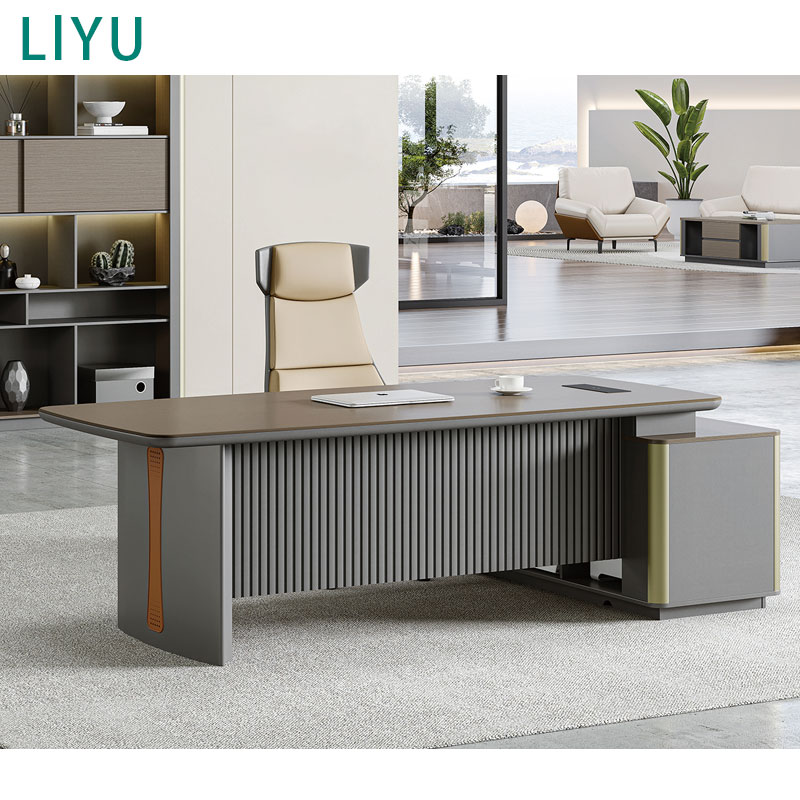
Center-room or floating layouts demand a specific anchoring strategy. A modern executive desk carries significant visual and physical weight. The rule for this configuration is absolute: the rug must be large enough to anchor the desk, the user's chair, and any guest seating positioned opposite the desk. You cannot place only the front legs of an executive desk on a rug. This creates a structural imbalance and looks unfinished. Typically, this setup requires an 8x10 or 9x12 rug. This size frames the desk generously, providing ample space for the user to roll back and for guests to sit comfortably without their chairs resting half-off the carpet. The entire footprint of the primary workstation must sit inside the rug binding.
Wall-facing or window-facing setups offer more flexibility. When positioning a compact office desk against a wall, you do not need to cover the floor space in front of the desk. The rule here shifts. The rug can sit horizontally under the front two legs of the desk, extending backward into the room to cover the entire chair movement zone. For wall-mounted or floating writing desks with no front legs, the rug only needs to anchor the chair and the immediate drop-zone beneath the work surface. A 5x8 or 6x9 rug usually accommodates these compact layouts perfectly, keeping the footprint manageable while fulfilling all ergonomic requirements for chair mobility.
Asymmetrical room corners present unique layout challenges. An L-shaped desk creates a 90-degree internal angle where the user sits. Standard rectangular rugs often leave one side of this movement zone exposed. The rule for corner configurations is to use a square or round rug to break up the harsh architectural angles. You must ensure the primary vertex—the exact corner where the chair pivots—is fully covered. A round rug softens the rigid lines of an L-shaped desk and provides a consistent radius for multi-directional rolling as you transition between monitors on different desk returns. Measure the depth of both returns to ensure the rug extends 24 inches past the deepest point of the seating area.
Placing two or more desks in a single room requires careful spatial evaluation. You must measure the spacing threshold between the workstations. If the desks sit less than 3 feet apart, individual rugs will overlap, creating tripping hazards and a cluttered aesthetic. In this scenario, opt for one massive, near wall-to-wall rug that sits under both workstations. This unifies the room and simplifies cable management, as you can route flat cables under a single rug pad. If the desks are spaced further apart—perhaps on opposite walls—use individual smaller rugs. This creates distinct, personalized zones for each user, allowing for different rug styles while maintaining independent chair roll zones.
These dimensions serve as the standard for smaller home offices, typically measuring around 10x10 feet. A 5x8 or 6x9 rug pairs best with standard 48-inch to 60-inch desks placed directly against a wall. When installing these sizes, orientation is critical. Place the long side of the rug parallel to the desk. This maximizes the side-to-side rolling space. If you place a 5x8 rug perpendicular to a 60-inch desk, the chair casters will likely slip off the sides when you reach for a drawer. Always align the longest dimension of the rug with the widest dimension of your active work zone. Ensure the rug does not block floor vents or baseboard heaters.
Larger rugs belong in rooms measuring 12x14 feet or more. They are designed for desks larger than 60 inches and floating layouts where the furniture sits in the center of the room. An 8x10 or 9x12 rug should cover approximately 70 to 80 percent of the total floor space. Because of their size, you have flexibility in orientation. You can place them perpendicular or parallel to the desk, depending on the room's dimensions. The only strict requirement is that the 24-inch to 36-inch chair clearance rule is met on the seating side. You must also verify that floor outlets remain accessible, either by cutting a small access slit in the rug or positioning the desk directly over the receptacle.
Do not guess your rug size. Use a strict mathematical formula to determine your minimum requirements. Follow these steps to calculate the exact dimensions needed for your workspace:
| Rug Size | Ideal Desk Width | Minimum Room Size | Placement Strategy |
|---|---|---|---|
| 5' x 8' | 48" - 54" | 8' x 10' | Wall-facing, front legs on rug |
| 6' x 9' | 54" - 60" | 10' x 10' | Wall-facing, full desk on rug |
| 8' x 10' | 60" - 72" | 10' x 12' | Center room, all furniture on rug |
| 9' x 12' | 72"+ or L-Shape | 12' x 14' | Floating layout with guest seating |
The thickness of your rug dictates how your office functions. Low-pile rugs, measuring under 0.25 inches, provide high mobility. Flatweave rugs offer a dense, hard surface that directly supports caster contact without sinking. They are easy to vacuum and resist crushing under heavy furniture. High-pile or shag rugs offer excellent acoustic dampening and a luxurious aesthetic, but they fail completely under rolling chairs. The casters sink into the deep fibers, locking the chair in place. Pushing out of these divots causes severe lower back strain. If you insist on a high-pile rug for aesthetic reasons, you must install a rigid glass or polycarbonate chair mat over the rug to restore mobility. Soft PVC mats will crack over high-pile carpets.
Office rugs endure high friction. You must select materials engineered for durability. Wool is naturally stain-resistant, highly durable, and recovers well from furniture compression. However, wool rugs tend to shed initially and command a higher price. Synthetic materials like polypropylene and nylon offer exceptional resistance to the rolling friction of office chairs. They do not shed, they clean easily, and they fit tighter budgets. PET (recycled polyester) rugs provide a soft feel but can mat down under the repetitive track of a rolling chair. Cotton rugs, while washable, lack the structural rigidity needed for an office environment and will bunch up instantly under a rolling chair. Prioritize dense synthetics or tightly woven wool for long-term performance.
Placing a desk unevenly on a thick rug creates immediate structural risks. If the front legs sit on a half-inch pile while the back legs rest on bare hardwood, the desk tilts backward. This wobble effect stresses the desk joints, especially on heavy solid wood furniture. It also creates a slanted work surface, causing monitors to lean and pens to roll. You mitigate this risk by ensuring all four desk legs sit entirely on the rug. If space constraints force a half-on layout, you must install heavy-duty furniture leveling pads on the rear legs to compensate for the height difference. Adjust the threaded M8 or M10 leveling feet until a spirit level shows the work surface is perfectly flat.
Rug thickness often interferes with architectural elements. Before purchasing, measure the clearance between the bottom of your office door and the hard floor. Standard interior doors usually have a 0.5-inch to 0.75-inch gap. If you select a rug with a 0.5-inch pile and add a 0.25-inch rug pad, the door will drag across the fibers. This damages the rug binding and makes the door difficult to open. Check closet doors as well, especially bi-fold doors that drop slightly on their tracks. Select a rug profile that clears all door swings in the room by at least an eighth of an inch. If you must use a thicker rug, you will need to remove the door and trim the bottom edge with a circular saw.
Rolling chairs generate immense directional force. When you push back, the casters grip the rug fibers and push the rug forward. Over time, this causes rug creep, where the carpet slowly bunches up against the desk legs. These ripples create severe tripping hazards. You cannot lay an office rug directly on a hard floor without an anchoring system. You must install a high-quality, low-profile rug pad made of dense needle-punched felt with a natural rubber backing. For flatweave rugs, apply double-sided acrylic rug tape along the perimeter and specifically under the chair roll zone. This locks the fabric to the floor and prevents bunching under repetitive motion.
A: Yes. All five casters of your office chair must remain on a single surface during your entire range of motion. Dropping off the edge of a rug creates a tipping hazard, damages the rug binding, and causes ergonomic back strain as you force the chair back up over the lip.
A: For a 60-inch desk placed against a wall, a 6x9 rug is ideal. Place the 9-foot side parallel to the desk. If the 60-inch desk floats in the center of the room, upgrade to an 8x10 rug to ensure all furniture legs and the chair roll zone are fully supported.
A: You can roll directly on a rug only if it is a low-pile or flatweave material under 0.25 inches thick. High-pile rugs require a rigid plastic or glass mat. Upgrading your chair to specialized rollerblade-style casters also significantly improves mobility on low-pile carpets.
A: Use the all legs on approach. A heavy executive desk requires structural stability and visual balance. Ensure the rug is large enough, typically 8x10 or 9x12, so that all four desk legs, the user's chair, and any guest chairs sit entirely within the rug's perimeter.
A: A rug should never go just under the chair. This creates an immediate tripping hazard and looks visually disjointed. At a minimum, the front legs of the desk must sit on the rug to anchor it in place and prevent it from sliding when you roll the chair.


