
Views: 0 Author: Site Editor Publish Time: 2026-09-07 Origin: Site


The physical orientation of a workspace directly dictates daily productivity, ergonomic health, and professional presence on video calls. Professionals setting up a workspace struggle with the competing priorities of natural light, screen glare, thermal comfort, spatial efficiency, and data privacy. Deciding whether to face a window requires balancing these often-conflicting variables. Pushing a desk against the glass might seem appealing for the view, but it introduces severe lighting imbalances and temperature control issues. Conversely, facing away from the window creates backlighting nightmares for webcams and exposes your screens to direct glare. This guide provides a technical evaluation of window-adjacent desk orientations, offering an evidence-based framework to determine the optimal layout based on hardware constraints, room dimensions, directional sunlight, and daily workflow requirements. We evaluate monitor brightness limits, window treatment necessities, and spatial planning to ensure your setup functions flawlessly.
Defining the baseline requirements for a functional workspace is mandatory before moving heavy furniture. Every room presents unique architectural constraints, and your daily tasks dictate which variables take priority. Optimizing your office desk layout requires a systematic approach to physical comfort, visual performance, and spatial flow.
Ergonomics and visual comfort dictate long-term health. The 20-20-20 rule requires looking 20 feet away every 20 minutes to relax the ciliary muscles in your eyes. Window access facilitates this focal distance relief perfectly. However, you must assess the biological risks of high-contrast lighting. Staring into bright daylight while looking at a dimmer monitor causes pupillary fatigue. Your pupils constantly dilate to read the screen and constrict to handle the sunlight. This mechanical overwork leads to severe eye strain, headaches, and blurred vision by mid-afternoon.
Video conferencing illumination presents strict technical limitations. Standard webcam sensors have a narrow dynamic range. They cannot process extreme light variations in a single frame. You must establish a lighting environment that falls within the sensor's capabilities. A poor setup results in blown-out, overexposed backgrounds or leaves your face entirely silhouetted. Natural light must hit your face evenly, or at a slight angle, to maintain a professional appearance without forcing the camera to aggressively auto-expose.
Spatial efficiency dictates how you move and operate within the room. Room dimensions heavily influence furniture choices and placement tolerances. You might need to integrate a compact office desk into a secondary bedroom that also houses a guest bed. Alternatively, you may anchor a massive workstation in a dedicated study. The physical footprint requires strict clearances. You need a minimum of 36 inches of clearance behind the desk to push your chair back comfortably without striking a wall. You also need adequate depth to maintain a 24-inch to 30-inch viewing distance from your monitors.
Privacy and data security require physical mitigation. Assess the risk of screen visibility from the outside. Ground-floor home offices are highly vulnerable to visual hacking. Windows facing neighboring properties, sidewalks, or street-level traffic expose sensitive client data and internal communications. Screen privacy filters offer a baseline layer of protection by narrowing the viewing angle, but physical orientation remains your most effective defense against external observation.
The direction your window faces changes the entire physics of the room. Sunlight quality, intensity, and color temperature vary drastically throughout the day and across different seasons. You must audit your room's solar exposure before finalizing any layout. Seasonal changes alter the angle of the sun, causing winter glare to reach much deeper into the room due to the lower solar trajectory.
North-facing windows provide consistent, indirect light. The illumination remains cool-toned, typically hovering around 5500K to 6500K, throughout the day. This is the ideal scenario for window-facing setups. It minimizes direct glare on your screens and drastically reduces thermal heat gain in the summer. You rarely need heavy blackout shades, and the ambient light stays steady from morning until evening, making it highly predictable for video calls.
South-facing windows offer intense, warm light that maximizes natural illumination. This comes with significant environmental challenges. The midday sun can be overpowering, generating massive amounts of radiant heat. It requires robust light-filtering shades to maintain a workable environment. Without proper window treatments, you face severe screen washout. Thermal load peaks in south-facing rooms, often requiring supplemental cooling or aggressive HVAC balancing during summer months.
East and West-facing windows present the highest risk for workspace disruption. They create direct, blinding glare at low angles. East windows blast the room with harsh light during morning hours. West windows blind you during late afternoon shifts, precisely when fatigue is already setting in. Because the sun sits low on the horizon during these times, the light shoots straight into your eyes or directly onto your monitor panels. Perpendicular layouts are mandatory for these orientations to protect your vision.
| Window Direction | Light Quality & Color Temp | Glare Risk Level | Thermal Heat Gain | Ideal Desk Orientation |
|---|---|---|---|---|
| North | Consistent, indirect, cool (6000K) | Low | Minimal | Facing window or Perpendicular |
| South | Intense, warm, bright (4000K) | Medium to High | High (Midday) | Perpendicular (requires shades) |
| East | Harsh, direct morning light | High (Morning) | Moderate | Perpendicular |
| West | Harsh, direct afternoon light | High (Afternoon) | Very High | Perpendicular |
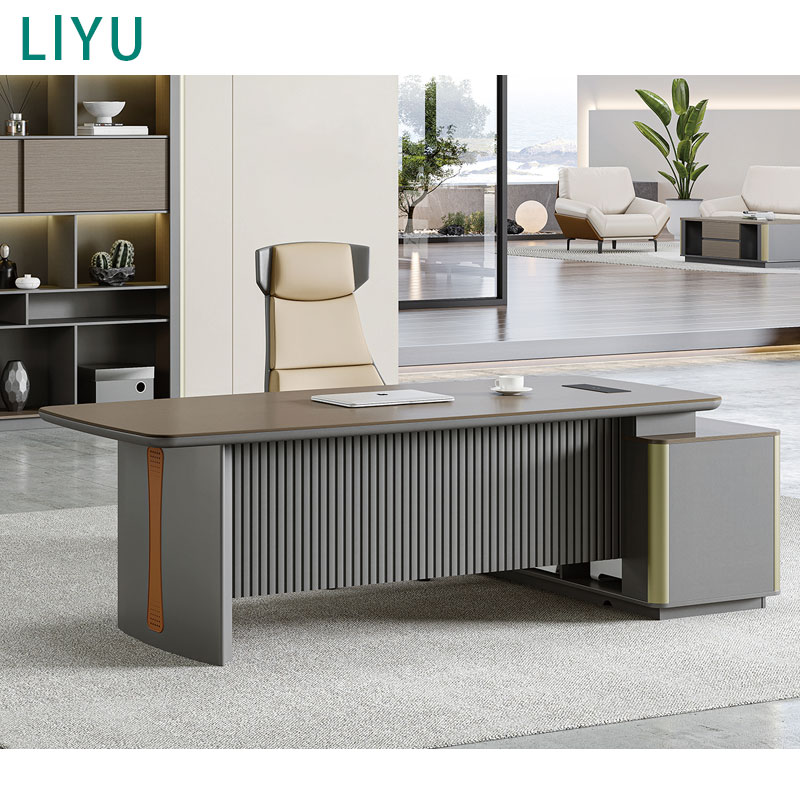
The direct window-facing orientation remains a highly debated setup among ergonomics experts. It offers distinct psychological advantages but carries significant technical implementation risks. Mastering your home office desk placement window strategy requires a clear understanding of these trade-offs and the hardware necessary to overcome the environmental challenges.
The case for facing the window focuses heavily on video performance and mental stamina. Natural front-lighting is a massive operational benefit. It eliminates the need for artificial ring lights or complex key-light setups. Daytime video calls look professional, vibrant, and evenly illuminated. Furthermore, direct access to natural views reduces psychological fatigue. Staring at a blank wall for eight hours drains creativity and induces claustrophobia in small spaces. Watching exterior movement and having a deep depth of field restores mental energy through established biophilic design principles.
The case against facing the window is rooted in hardware limitations. Screen washout is the most common point of failure. Direct sunlight easily overpowers standard monitor backlights. Ambient daylight can exceed 10,000 lux. Standard office monitors output roughly 250 to 300 nits of brightness. To compete with a bright window, you need premium displays capable of 400 to 600+ nits. Without this hardware upgrade, your contrast ratio collapses, making text illegible and causing severe eye strain.
The silhouette effect ruins video calls if the lighting balance shifts. If the window receives direct afternoon sun, the background becomes exponentially brighter than your face. Your webcam will automatically expose for the brightest part of the image. Your face becomes completely shadowed, destroying your professional presence on client calls.
Hardware obstruction often negates the aesthetic benefits of facing the glass. Dual 27-inch monitors or a single 49-inch ultrawide display will physically block the lower half of most residential windows. You lose the view you specifically positioned the desk to capture. Additionally, the back of your monitors, complete with exposed cables and mounting brackets, looks cluttered and unprofessional from the outside of the house.
Distraction metrics must be quantified based on your specific location. You lose deep-focus time due to exterior movement. Street-level activity pulls your attention away from complex, cognitively demanding tasks. Every passing car, delivery truck, or pedestrian breaks your concentration. If your work requires intense focus, coding, or deep data analysis, a direct window view actively hinders your daily output.
If facing the glass directly fails your success criteria due to glare or hardware limits, non-direct window layouts provide a superior balance. These setups mitigate the harshest environmental variables while retaining the biological benefits of natural light.
Perpendicular placement is the undisputed ergonomic standard. You place the desk at a 90-degree angle to the window. This setup completely mitigates direct screen glare. It maintains ambient natural light across your workspace, creating a highly functional environment. The physics of this angle work in your favor. Light falls across your desk surface rather than shooting directly into your retinas or washing out your monitor panels.
This 90-degree orientation creates flattering, dimensional side-lighting for video calls, often referred to as Rembrandt lighting. You can position your monitors to block the harshest angles of incoming light while keeping the window in your peripheral vision. This allows you to glance outside easily, satisfying the 20-20-20 rule without causing pupillary fatigue. It easily accommodates multi-monitor setups without blocking the architectural features of the room.
Placing your back to the window is another common alternative, often referred to as the executive setup. It aligns with traditional Feng Shui principles by establishing the command position. A modern executive desk faces the primary door, while the window sits behind the user. This offers psychological security, prevents anyone from sneaking up behind you, and creates a strong sense of room dominance.
However, this setup contains a critical technical flaw for modern workflows. It creates severe backlighting for video calls, guaranteeing a silhouetted image. Worse, it allows direct glare to reflect off your monitor screens right into your eyes. It is the worst possible orientation for digital-first work.
Mitigating the flaws of the executive setup requires heavy financial investment. You must install blackout blinds or heavy drapery to kill the backlighting. You need matte anti-glare screen protectors. You also must purchase powerful, diffused front-facing key lights to illuminate your face and overpower whatever ambient light leaks through the window treatments. Without these modifications, the executive setup fails completely.
Physical equipment interacts heavily with natural light and architectural features. You must evaluate these dimensions carefully before purchasing gear or finalizing your floor plan.
Monitor technology dictates your layout flexibility. Matte screen finishes are vastly superior to glossy screens near windows. Glossy screens act like dark mirrors, reflecting every detail of the illuminated room behind you. If you insist on a direct window-facing setup, you must consider monitor hoods. These physical shields block ambient light from hitting the top and side edges of the screen, preserving color accuracy and contrast ratios for design or video editing work.
Selecting the right desk requires strict attention to physical dimensions. Depth requirements are critical. A window-facing desk needs a minimum depth of 30 inches. You must push monitors back from the glass to maintain a healthy viewing distance. If the desk is too shallow, the screens sit too close to your face, inducing myopia over time. They also sit too close to the window pane, exposing the plastic monitor housings to extreme temperature fluctuations.
Material constraints dictate visual comfort. Avoid glass desks near windows entirely. Optical mouse sensors track poorly on glass surfaces bathed in sunlight. Avoid high-gloss white surfaces or polished metals. These materials have a high Light Reflectance Value (LRV). They cause secondary glare, bouncing sunlight off the desk, onto the ceiling, and directly onto your screens. Choose matte wood veneers, dark laminates, or textured linoleum finishes. These materials absorb light rather than reflecting it, reducing overall eye strain.
Window treatments control light diffusion and are mandatory for any window-adjacent setup. Solar shades are highly effective for home offices. Look for openness factors between 1% and 5%. A 1% shade blocks 99% of UV rays and harsh glare while still allowing you to see shapes and movement outside. Top-down/bottom-up cellular shades offer superior directional control. You can lower the top half to let ambient light bounce off the ceiling while keeping the bottom half closed to block street-level distractions and direct monitor glare.
Window-facing setups carry hidden logistical costs. These environmental factors can ruin a workspace if ignored during the planning phase. You must engineer solutions for temperature control, power routing, and acoustics.
Managing thermal load is a constant, daily battle. You face the realities of radiant heat transfer in the summer and cold drafts in the winter. Sitting inches from a glass pane amplifies these temperature swings. Single-pane windows are especially problematic, often creating a micro-climate around your desk that is 10 degrees different from the rest of the room. You may need to upgrade your weather stripping, apply thermal window films, or run a dedicated space heater under the desk.
HVAC conflicts are incredibly common in residential construction. Baseboard heaters, cast-iron radiators, and forced-air floor vents are almost always placed directly beneath windows to combat heat loss. Pushing a solid desk against the wall blocks this critical airflow. It damages wood furniture by drying it out. It creates fire hazards if combustible materials touch the heaters. It also ruins the temperature regulation of the entire room. You must leave a minimum gap of 6 to 12 inches between the back of the desk and the wall.
Cable management becomes highly complex in floating layouts. When a desk is pulled away from the wall to accommodate window access, curtains, or heating vents, cords hang visibly in the open space. Routing power and data requires strict organization. You must use under-desk cable trays to hold power strips and heavy charging bricks. Install heavy-duty floor cord covers to route power to the nearest wall outlet without creating trip hazards. Use a flexible cable spine to route wires from the floor to the desk surface cleanly.
Acoustic challenges arise immediately near glass. Sound reflects aggressively off hard, flat surfaces. This creates a noticeable echo or reverb during video calls, making your microphone sound hollow and unprofessional. Glass panes offer zero sound absorption. Mitigating this requires strategic acoustic treatments. You need heavy drapery around the window with a high Noise Reduction Coefficient (NRC) rating. Installing a thick, high-pile rug under your chair and placing acoustic panels on the adjacent parallel walls will further dampen the sound reflections.
A: Yes, it causes severe eye strain if not managed properly. The stark contrast between bright outdoor daylight and a dimmer backlit monitor causes pupillary fatigue. Your eyes constantly adjust between the two extreme light levels. You must use proper solar shades to diffuse the daylight and increase your monitor brightness settings to reduce this contrast.
A: Placing the desk perpendicular to the window provides the best natural lighting. A perpendicular setup offers flattering, dimensional side lighting that illuminates your face evenly without blinding you. It prevents the silhouette effect, which happens when a bright window is directly behind you, and avoids the harsh squinting caused by facing the sun directly.
A: You can, but depth limitations pose a significant challenge. Compact desks often force monitors to sit too close to the glass and too close to your face. This exacerbates thermal discomfort from cold drafts or radiant heat. It also increases glare and makes it difficult to maintain a healthy 24-inch focal distance from your screens.
A: Having your back to the window creates a massive webcam exposure problem. The camera automatically adjusts to the bright background, leaving your face completely silhouetted. Additionally, direct sunlight reflects off your monitor screen directly into your eyes, destroying the contrast ratio and making it impossible to read text without heavy blackout curtains.
A: Floating desks require strict, routed cable management. Use under-desk cable trays to hide power strips and heavy power bricks. Route all peripheral cables down a single desk leg using zip ties or a flexible cable spine. Use heavy-duty floor cord covers to safely run power and data lines across the floor to the nearest wall outlet.
A: Facing the door aligns with the Feng Shui command position, offering psychological comfort and privacy from anyone entering the room. However, sitting perpendicular to the window provides superior ergonomic and mood-boosting benefits from natural light. The best compromise is a perpendicular layout that allows you to see the door while receiving side-lighting from the window.
A: North-facing windows provide consistent, indirect light, making them ideal for facing the window directly. South windows offer bright, warm light but require heavy shades to block midday glare and heat. East and West windows produce blinding, low-angle sunrise and sunset glare, making perpendicular setups mandatory to protect your vision and monitor visibility.


